 Download Online Help
 Print
|
|
|
|
|


Additional Information
The System Transaction Codes are displayed with both the Code Names and Descriptions. The Code Descriptions directly illustrate their functionality and role in the system, as fields are populated and tasks are performed.
Transaction Code: |
Additional Information Code |
General Description: |
Additional Information Codes can be entered in the Inventory Tab of P/N Master. |
Are Authorization Steps Available? |
N |
Is System Notification Available? |
N |
Control Panel Paths: |
Settings/ Update/ P/N Master, Inventory tab |
Window(s) |
w_pn_master_eu |
Related Switches: |
None |
Functions: |
N/A |
Reports: |
None |
Available Functionality:
Each A/C Unit Type has to fall under one of three system-wide Type Indicators.
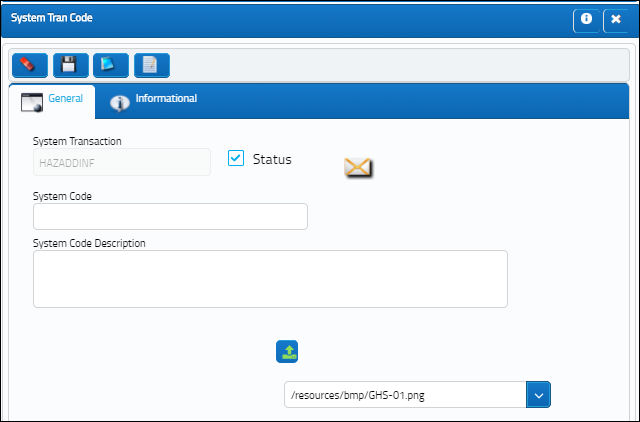
The following options/information is available in this window:
_________________________________________________________________________
Browse  button
Select the Browsebutton to access the Select File to Import window:
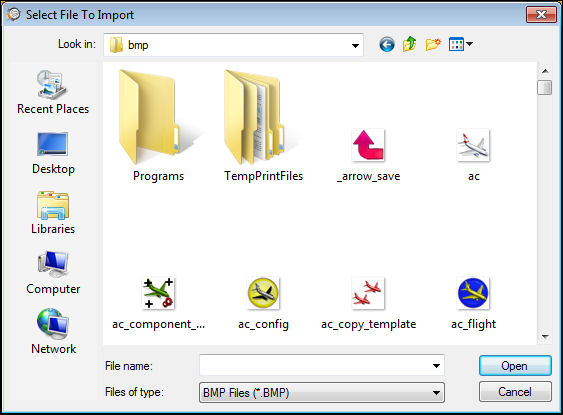
From this window, the user may select a folder in which stores desired icons.
BMP drop down
Select an image to associate to the System Code (i.e Time Sensitive  icon). For additional information, refer to the P/N Master, Inventory tab via the Settings Training Manual.
_________________________________________________________________________
Download Online Help
Print
|
©1997-2018 Trax USA Corp. All rights reserved. This manual may not be copied, photocopied, reproduced, translated, or converted to any electronic or machine-readable form, in whole or in part, without prior written approval from Trax USA Corp. |
 |