 Download Online Help
 Print
|
|
|
|
|


Employee License Type
The System Transaction Codes are displayed with both the Code Names and Descriptions. The Code Descriptions directly illustrate their functionality and role in the system, as fields are populated and tasks are performed.
Transaction Code: |
Employee License Type |
General Description: |
License Type carried by an employee |
Are Authorization Steps Available? |
No |
Is System Notification Available? |
No |
Control Panel Path(s): |
Settings/Update/Employee/License Tab |
Windows(s): |
w_employee_master_eu |
Related Switch(s): |
None |
Functions: |
n/a |
Reports: |
Employee Prints |
Available Functionality:
The system displays the Employee License Type Transaction Code Window as follows:
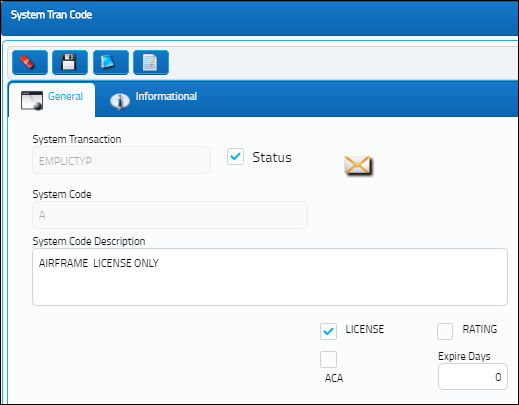
The following options/information is available in this window:
_________________________________________________________________________
Expire Days
The Expire Days field will automatically generate an Expire Date for the license when it is assigned to an employee via the Employee Master, License Tab. The Expire Date that is generated is determined by the Issued Date specified in the License Tab, and the value in the Expire Days field.
_________________________________________________________________________
Download Online Help
Print
|
©1997-2018 Trax USA Corp. All rights reserved. This manual may not be copied, photocopied, reproduced, translated, or converted to any electronic or machine-readable form, in whole or in part, without prior written approval from Trax USA Corp. |
 |