
 Share
Share
 Print
Print
|
|
|
|
|


The purpose of Bin control is to define the ‘preferred bins’ in each location where this part should be put upon receiving. Bins must be set up via Settings/ Update/ Bin prior to setting Bin Control at the part level.
Select the Bin Control  button for the selected part from the GSE P/N Master window. TRAX displays the following screen:
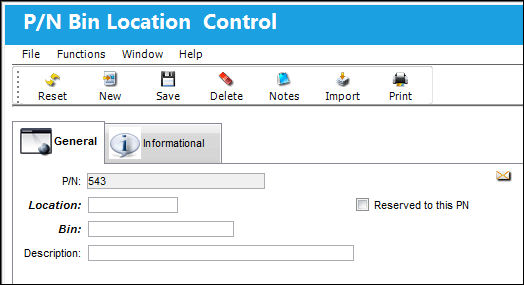
The following information/options are available in this window:
_____________________________________________________________________________________
P/N
The Part Number reference for the Ground Support Equipment part.
Location
The Location for maintenance events, inventory stores, orders, transactions, or training events.
Bin
The specific storage bin within the inventory location.
Description
The description of the bin.
Reserved to this P/N checkbox
When selected, only the selected part(s) will be allowed to be placed in the Location and Bin combination. Multiple parts can have the same Location and Bin combination as long as this checkbox is selected for the part. If a part that has not previously been set up through this checkbox is transferred into this Location/Bin via the Bin Transfer  button of the Inventory Transaction window, the following warning message will appear:
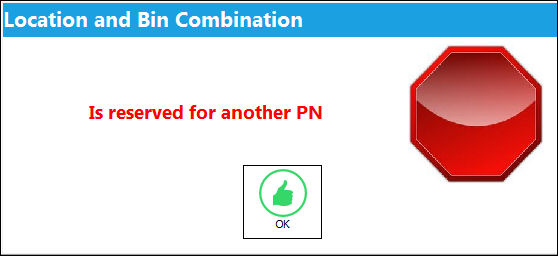
For more information refer to the Bin Transfer Button, via Inventory Transaction via the Inventory Training Manual.
_____________________________________________________________________________________
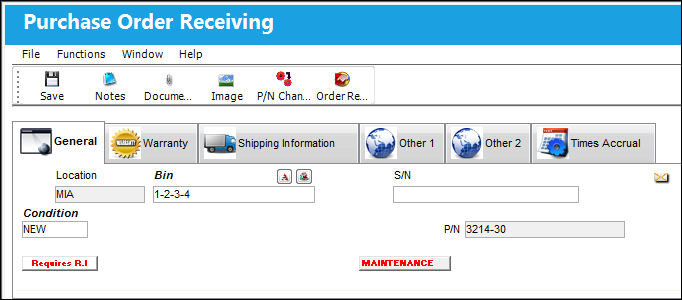
When Receiving is carried out (via Receiving/Update/Order Receiving) on the system, the system will default the Bin to the Bin control for that Location (if previously set up). This default Bin can always be overridden if required.
Share
Print
|
©1997-2026 Trax USA Corp. All rights reserved. This manual may not be copied, photocopied, reproduced, translated, or converted to any electronic or machine-readable form, in whole or in part, without prior written approval from Trax USA Corp. |
 |