
 Share
Share
 Print
Print
|
|
|
|
|


Add a Security Profile to a TraxDoc Category
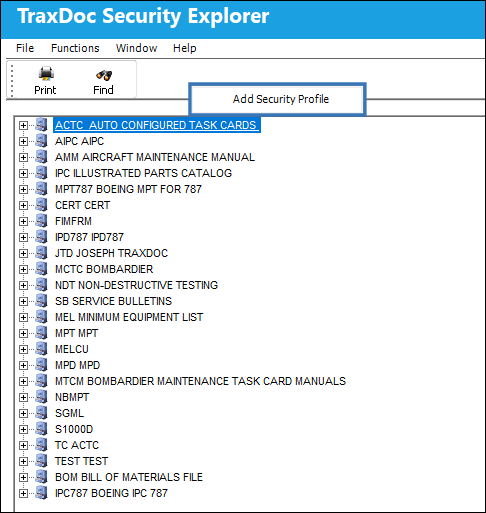
Right-click on a TraxDoc Category. Select ‘Add Security Profile.'
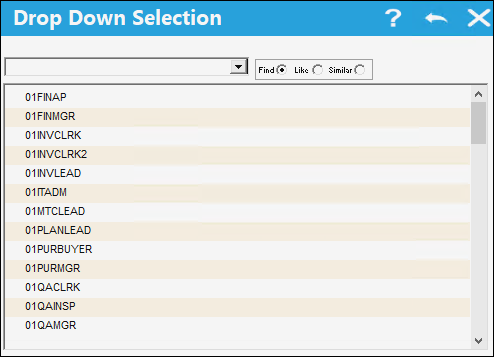
Select a Security Profile from the drop down Selection Window.
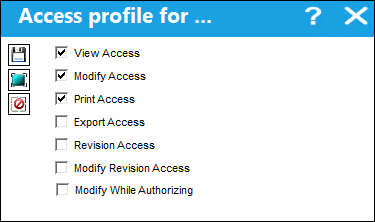
A window is displayed to select the TraxDoc Security access for the Security Profile. Select the required security access and click Save.
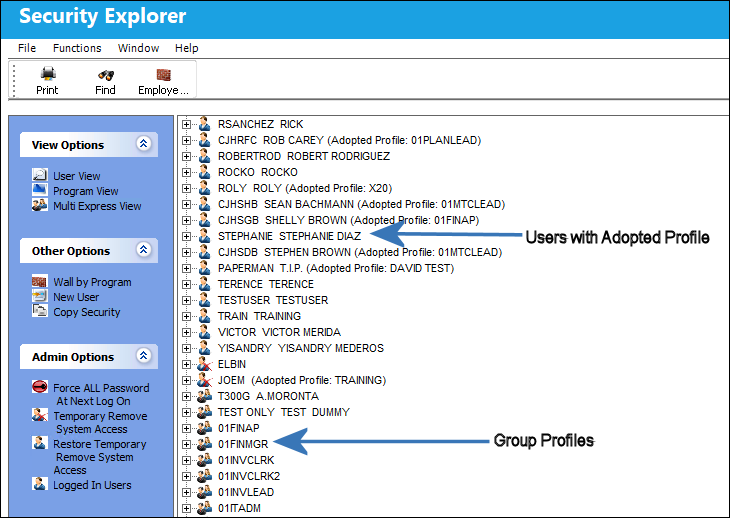
The security profile (group profile) is in System Administration/Explorer/Security Explorer.
All users who have the Adopted Profile will have the security that the user sets for the TraxDoc Category.
Refer to the System Administration Manual for information on the Security Explorer.
For additional information, refer to the topic regarding how to Modify the TraxDoc Security Access for a Security Profile.
Share
Print
|
©1997-2026 Trax USA Corp. All rights reserved. This manual may not be copied, photocopied, reproduced, translated, or converted to any electronic or machine-readable form, in whole or in part, without prior written approval from Trax USA Corp. |
 |