 Download Online Help
 Print
|
|
|
|
|


Fixed Asset Registry Query
This window allows users to view detailed information for each inventory item that has been set up as a Fixed Asset. Users enter search criteria in the top of the window, and the results are displayed in the table to the bottom.
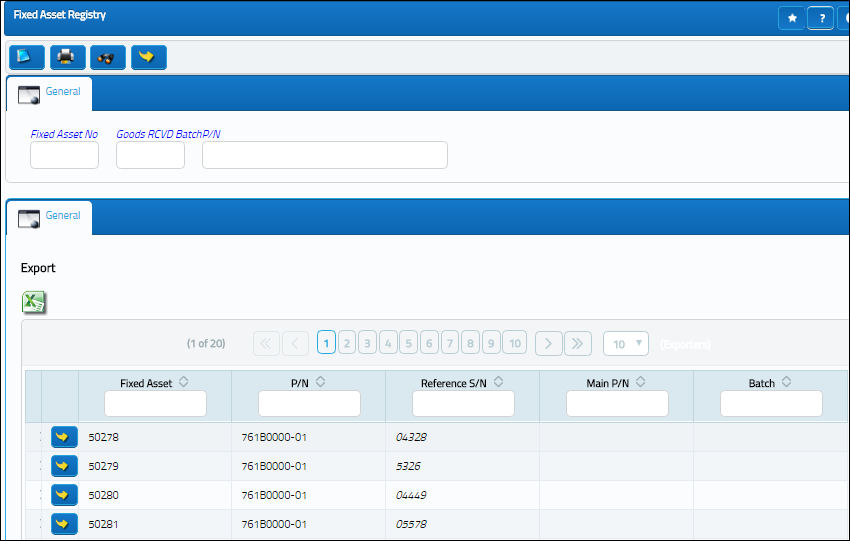
Note: Actual records cannot be edited from the Query window. Data cannot be updated from this query window. For more information on Fixed Assets, refer to the Fixed Asset Registry window.
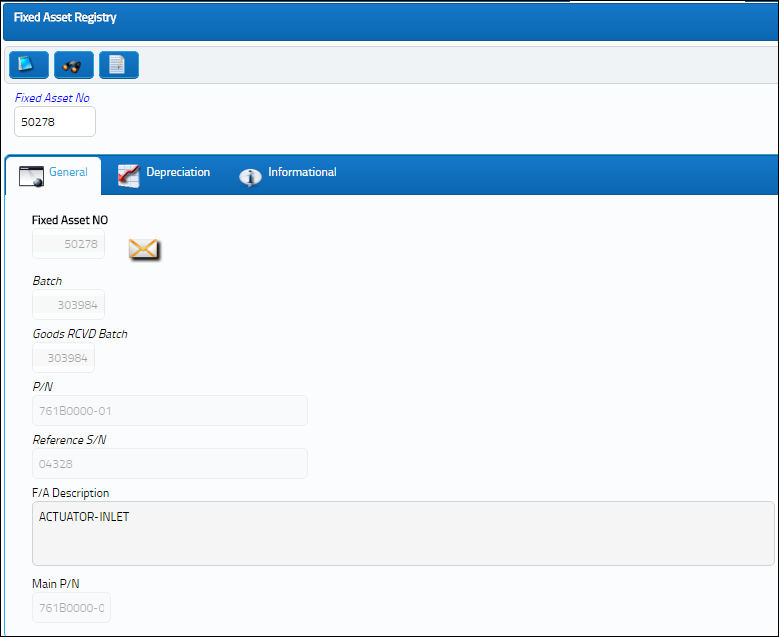
The user can view more detailed information on a selected record by clicking the Select  button.
Download Online Help
Print
|
©1997-2018 Trax USA Corp. All rights reserved. This manual may not be copied, photocopied, reproduced, translated, or converted to any electronic or machine-readable form, in whole or in part, without prior written approval from Trax USA Corp. |
 |