 Download Online Help
 Print
|
|
|
|
|


Fixed Asset Pending Query
This window allows users to view any pending Fixed Asset transactions logged in the system. Users enter search criteria in the top of the window, and the results are displayed in the table to the bottom.
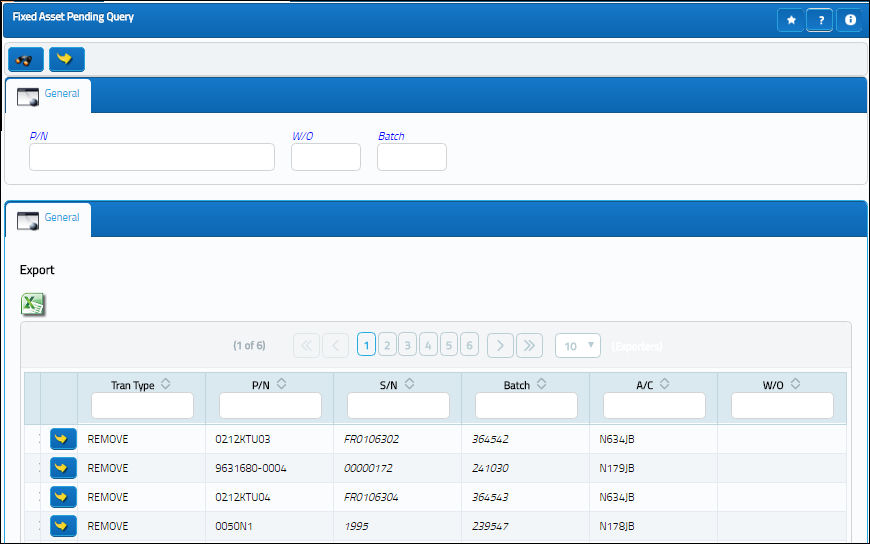
Search Criteria
The following options/information is available in this window:
_________________________________________________________________________
P/N
The Part Number reference for the aircraft part.
W/O
The Work Order used to categorize, manage, and schedule work requirements for aircraft maintenance.
Batch
The batch number that is associated with a part when introduced/received into the system.
_________________________________________________________________________
Results
The following options/information is available in this window:
_________________________________________________________________________
Tran Type
The type of transaction record.
P/N
The Part Number reference for the aircraft part.
S/N
The Serial Number for the specific serialized part.
Batch
The batch number that is associated with a part when introduced/received into the system.
A/C
The individual Aircraft tail number.
W/O
The Work Order used to categorize, manage, and schedule work requirements for aircraft maintenance.
Task Card
The Task Card / Job Card that details the scheduled maintenance work.
Created By
The user who created the record.
Created Date
The date the record was created.
_________________________________________________________________________
Note: Actual records cannot be edited from the Query window. For more information on Fixed Assets, refer to the Fixed Asset Registry window.
The user can select into any record to view more detailed information on it.
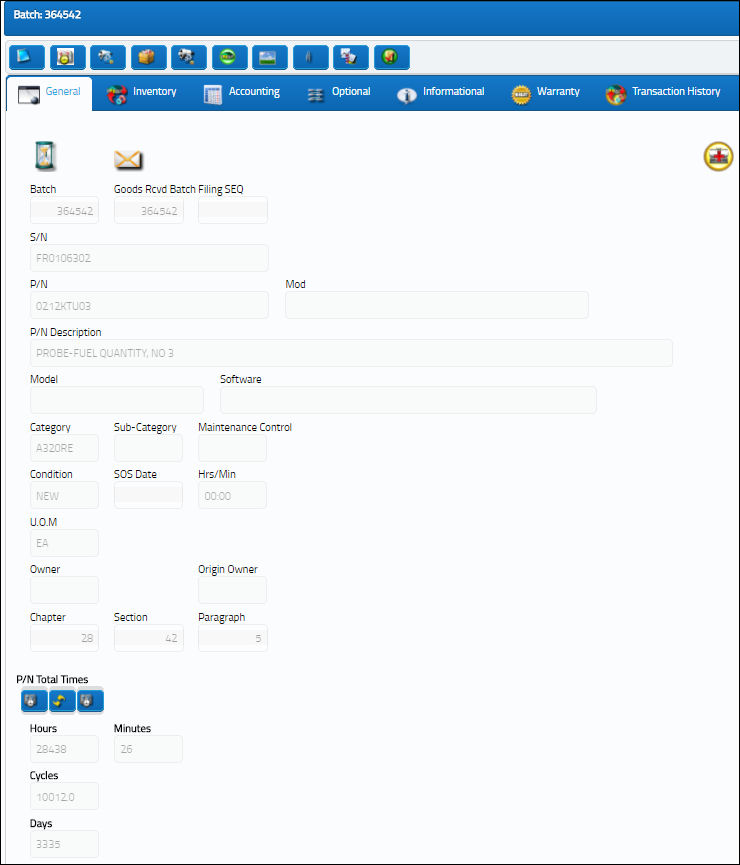
Download Online Help
Print
|
©1997-2018 Trax USA Corp. All rights reserved. This manual may not be copied, photocopied, reproduced, translated, or converted to any electronic or machine-readable form, in whole or in part, without prior written approval from Trax USA Corp. |
 |