
 Share
Share
 Print
Print
|
|
|
|
|


TraxDoc Document Lock Manager
The TraxDoc Document Lock Manager is used to find new TraxDoc Documents that have not been released for authorization and have one or more of the files in that TraxDoc Document locked by Trax Users. Once TraxDoc is released for authorization it will appear in TraxDoc Authorization Document Lock Manager if it has any locked files.
Files in a TraxDoc Document are locked when they are opened by a user. The file will be unlocked once the user closes the file. This prevents users from opening files simultaneously and overwriting each others changes.
The system will NOT allow you to authorize a TraxDoc Document if one of its files is open (i.e. locked). After finding the appropriate record, accessing it will open the TraxDoc Document Control window.
Records can be queried through the following:
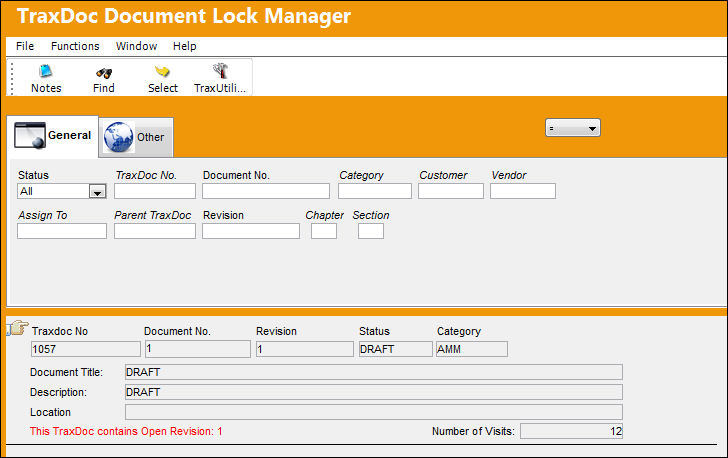
Additional information can be entered to query a record through the TraxDoc Document Lock Manager, Other Tab.
The following buttons are available for additional functionality:
- Notes button
- Trax Utilities button
Share
Print
|
©1997-2026 Trax USA Corp. All rights reserved. This manual may not be copied, photocopied, reproduced, translated, or converted to any electronic or machine-readable form, in whole or in part, without prior written approval from Trax USA Corp. |
 |