
 Share
Share
 Print
Print
|
|
|
|
|


Currency
The System Transaction Codes are displayed with both the Code Names and Descriptions. The Code Descriptions directly illustrate their functionality and role in the system, as fields are populated and tasks are performed.
Transaction Code: |
Currency |
General Description: |
Currency and Exchange Rates |
Are Authorization Steps Available? |
N |
Is System Notification Available? |
N |
Trax Control Panel Path(s): |
Engineering/ Update/ E/C |
Windows(s): |
w_vendor_master_eu; w_order_header_eu (for all order types, except TO); w_packing_shipping_header_eu; w_invoice header_eu. |
Related Switch(s): |
|
Functions: |
To report in the customers’ financial reports in their primary currency |
Reports: |
All G/L Reports are reported in Primary Currency and the Secondary Currency is available in some reports and most queries |
The currency code is available in a number of windows within TRAX from P/N vendor price in the P/N Master to Vendor Master under the Setting module, but is most crucial use of this code are at the Order and Invoicing levels which will impact the financial records. The Currency Exchange Rate, however, may only be entered via Settings/ Explorer/ System Transaction Codes. Please note that this is a manual process of updating the exchange rates as your company’s policy. The impacts as vast on your inventory costing and balances.
Available Functionality:
The Currency code allows TRAX Customers the ability to handle a multitude of currencies when dealing with vendors and customers. Currency also allows the user to track exchange rates between these currencies and their primary currency thereby providing exchange rate conversions. The Currency code may be entered via Setting/ Explorer/ System Transaction Codes. Set-up is identical to the creation of any other System Transaction Code and contains two additional fields for the Currency Exchange Rate and Exchange Date of the Currency code.
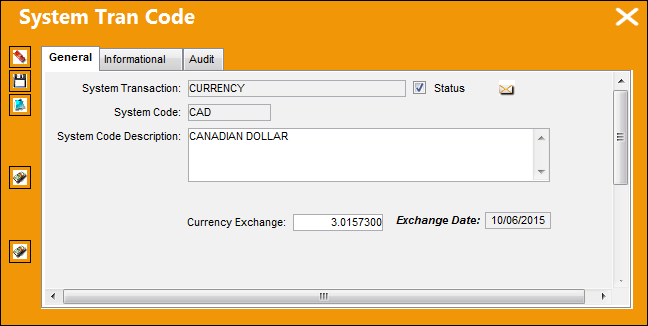
The following information/options are available in this window:
_____________________________________________________________________________________
Currency Exchange
The exchange rate of the specified currency.
Exchange Date
When the Currency Exchange rate is updated, the system will automatically adjust the Exchange Date to the current date.
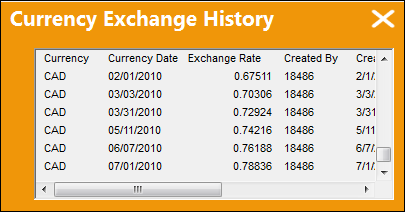
Currency Exchange History  button
The Currency Exchange History button allows the user to view the historical exchange rate for a specified currency.
Qatar Currency Exchange Update button 
The Qatar Currency Exchange Update button allows the user to quickly import/update a currency exchange rate for any of the listed currencies under the Currency Transaction Code. For additional information, refer to Qatar Currency Exchange Rate Button, via the Currency Transaction Code.
This button is a customized request and may not be available for your company.
_____________________________________________________________________________________
Currency Exchange History button:
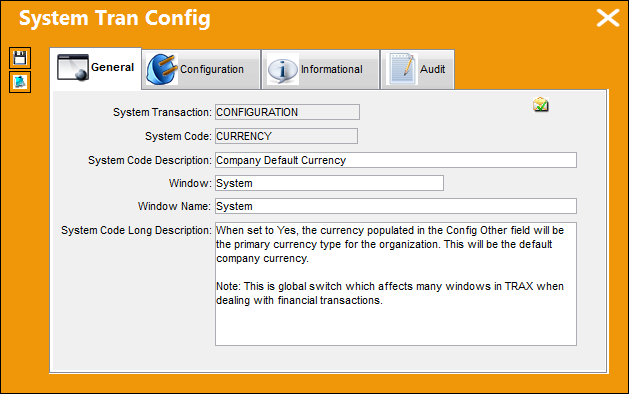
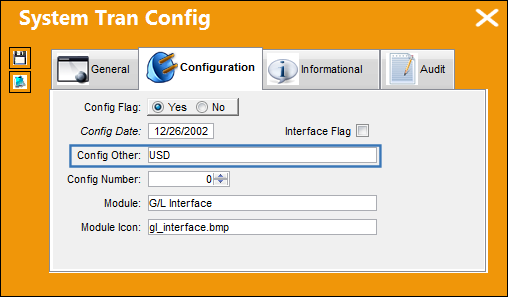
The main currency is USD as set up via Switch  CURRENCY shown below:
When the Currency Exchange rate is updated TRAX will automatically adjust the Exchange Date to the current date. All historic currency exchange rate information will be available via the Currency Exchange History button. This information will allow the user to be able to find out the exchange rate at the time of order and/ or invoicing.
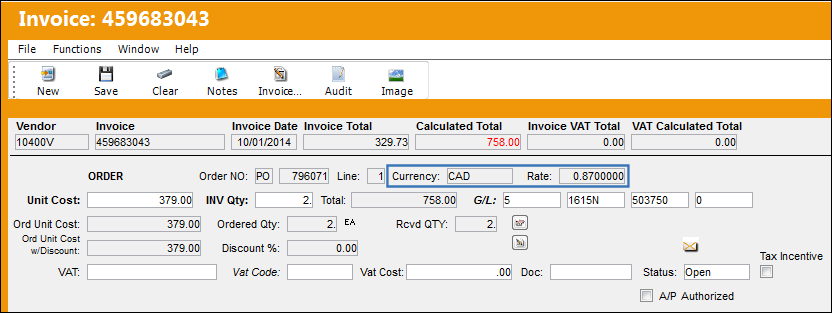
TRAX will convert invoices costing when paid in a foreign currency. Also inventory purchased in a foreign currency will adjust down to the inventory detail level.
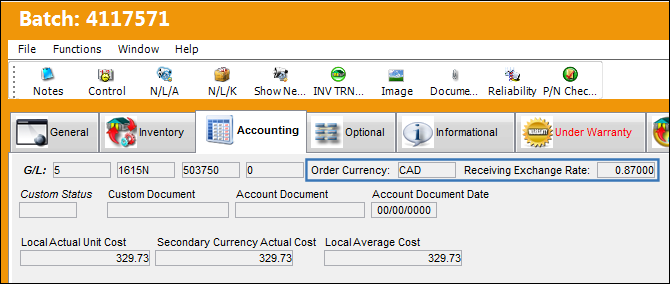
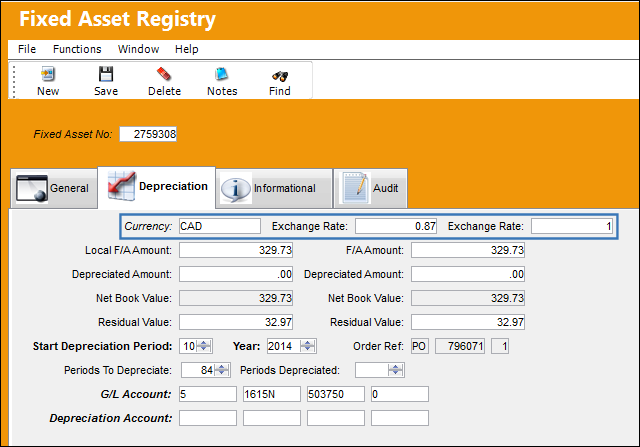
This is in addition to the Fixed Asset record.
Share
Print
|
©1997-2026 Trax USA Corp. All rights reserved. This manual may not be copied, photocopied, reproduced, translated, or converted to any electronic or machine-readable form, in whole or in part, without prior written approval from Trax USA Corp. |
 |