
 Share
Share
 Print
Print
|
|
|
|
|


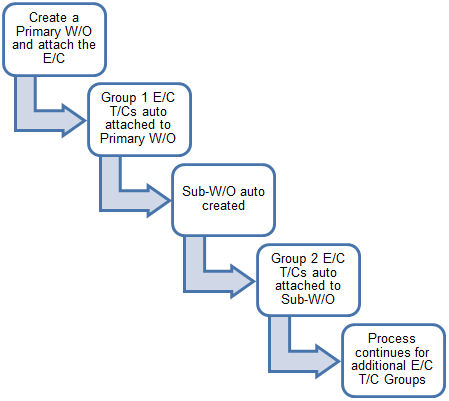
The E/C Task Card Group functionality allows the user to group Task Cards. First, a Work Order must be created via either Shop or Production/ Update/ Work Order. This will be the primary Work Order. The E/C is attached to the primary Work Order. Any Task Cards contained in Group 1 will automatically be copied to the primary Work Order during this process. Group 2 Task Cards will automatically be placed on an auto created Work Order, then Group 3, and so on. The primary Work Order will act as a Parent Work Order to each individual Work Order that is automatically created.
In this example, we have associated several Task Cards to the Engineering Control.
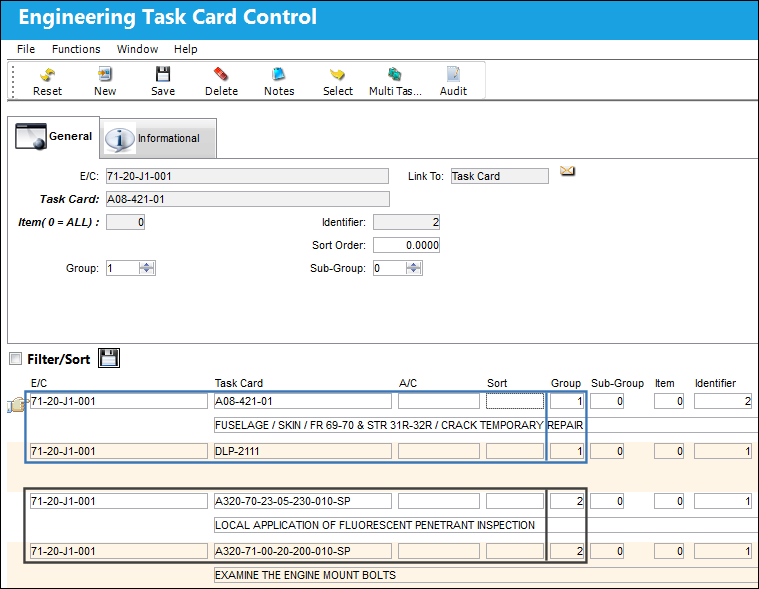
A diagram and explanation of the result of this Grouping is shown below:
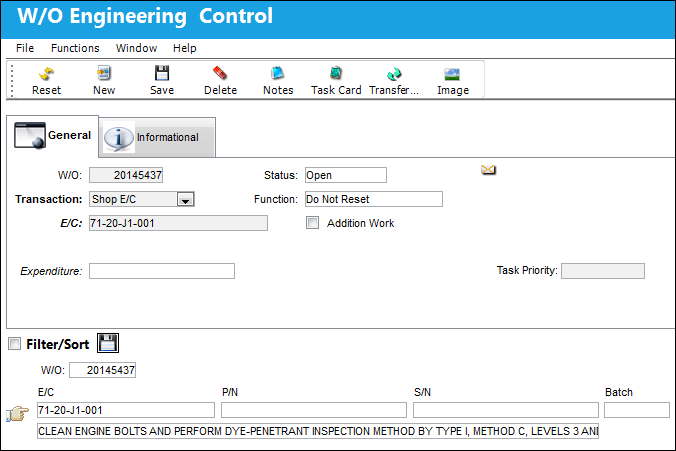
For example, the E/C is attached to the W/O via the E/C  button of the Work Order window.
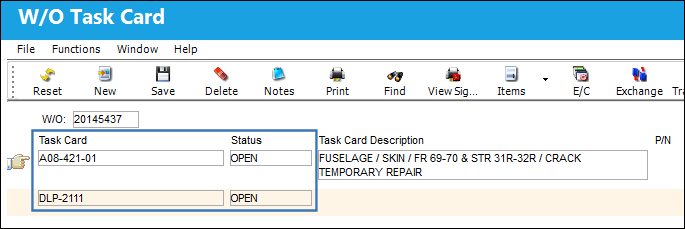
Once the E/C is attached, all Task Cards from Group 1 are automatically attached to the W/O.
From the primary W/O, notice that a sub-W/O was automatically created.
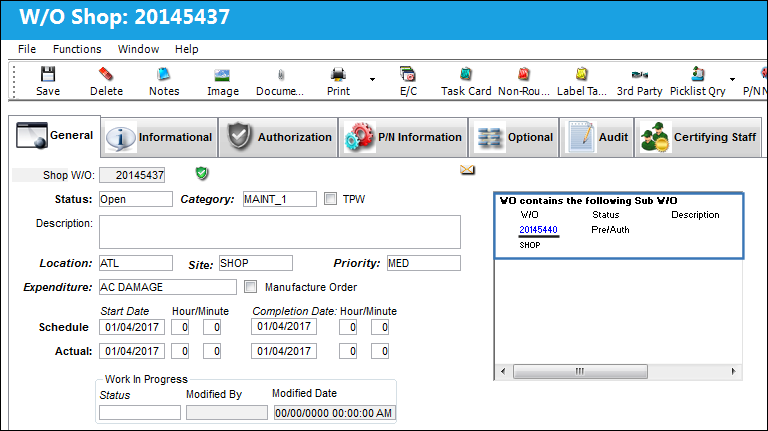
Notice that the Group 2 Task Cards have been attached to the sub-W/O.
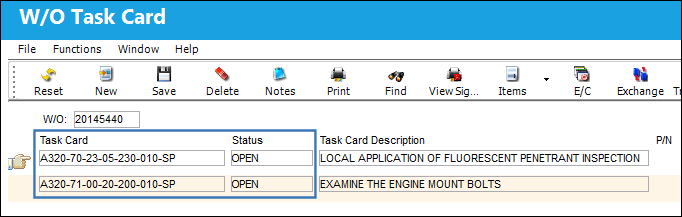
If the E/C has any additional Task Cards in Groups 3 or higher, then sub-W/Os will be created for each Task Card Group level required.
Share
Print
|
©1997-2026 Trax USA Corp. All rights reserved. This manual may not be copied, photocopied, reproduced, translated, or converted to any electronic or machine-readable form, in whole or in part, without prior written approval from Trax USA Corp. |
 |