
 Share
Share
 Print
Print
|
|
|
|
|


Configuring Inventory Codes
Select an available Inventory Category Code from the hard-coded options.
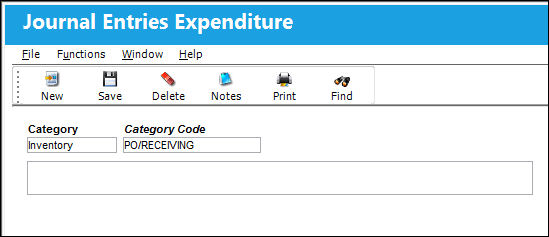
The following information/options are available in this window:
_____________________________________________________________________________________
Category
The Journal Entry Category. The options are INVENTORY, EXPENDITURE, EXPENSE, and INVOICE. For this example, the INVENTORY option is utilized.
Category Code
Name of the new Category Code to be created or utilized.
Description
Category Code description.
_____________________________________________________________________________________
To change the G/L accounts that are associated with a Journal Entry Expenditure Category/Category Code combination that is already in the system, right click on the Category Code field. The list of pre-defined Category Codes will appear to choose from.
Notice the list of transaction accounts that appear (ex. Credit, Freight, etc.). These appear automatically because any transaction involving the specified Journal Entry Expenditure Category/ Category Code will affect the transaction types presented in this list. These transaction types are hard coded into the system. You will now define which G/L account (created earlier) will be associated (and, in turn, debited or credited) to the accounts listed on the General Tab of the window.
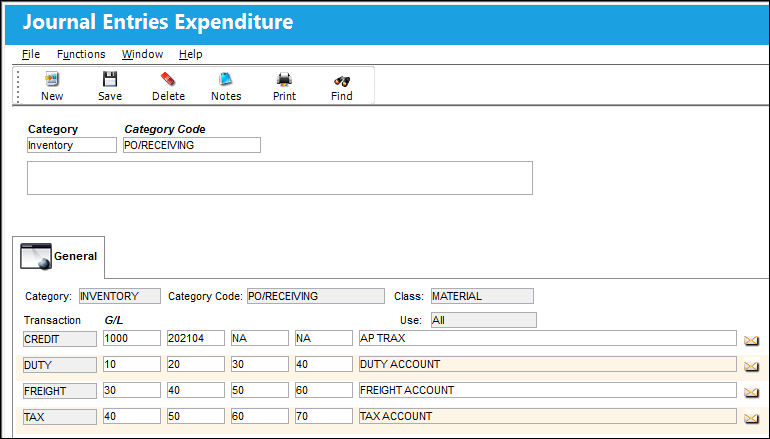
Right click on any of the G/L fields to choose from a list of pre-defined codes. Here the user will choose from the list of General Ledger accounts that were created in the General Ledger Accounts set up process.
See the Setting Up General Ledger Accounts for the G/L Interface section of this manual for additional information regarding setting up G/L Accounts.
Depending on the functionality used within the system, the Journal Entries will be written for the accounts specified.
Share
Print
|
©1997-2026 Trax USA Corp. All rights reserved. This manual may not be copied, photocopied, reproduced, translated, or converted to any electronic or machine-readable form, in whole or in part, without prior written approval from Trax USA Corp. |
 |