
 Share
Share
 Print
Print
|
|
|
|
|


G/L Accounts
This section describes how to set up the General Ledger Accounts for financial control within the system.
The accounts set up here will represent the accounts that are set up in your current financial system.
An interface transfer is only successful if the account names set up here are identical to those used by the financial software that the data is exported to.
The G/L accounts program is used to create the individual accounts that will be used within the system for different functionalities.
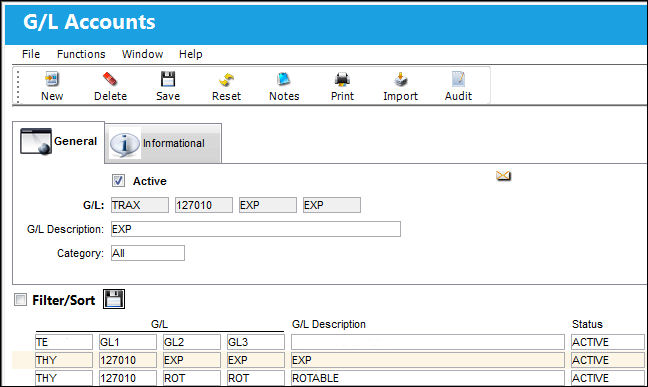
For more information regarding G/L Accounts, refer to the the following:
- Creating a New G/L Account
- G/L Accounts within the System
- Import Button, via G/L Accounts for G/L Interface, Setup
To include relevant information for the record, utilize the Notes  button. To view additional information, refer to the G/L Accounts, Informational tab or Audit
  button.
The Print  button can be used to generate the related reports.
This update window is also available in query mode where users can view the records provided in this window but cannot create new records or edit existing data. Refer to this module's Query menu.
 G/L Accounts and J/E Expenditures
Share
Print
|
©1997-2026 Trax USA Corp. All rights reserved. This manual may not be copied, photocopied, reproduced, translated, or converted to any electronic or machine-readable form, in whole or in part, without prior written approval from Trax USA Corp. |
 |