
 Share
Share
 Print
Print
|
|
|
|
|


G/L Budget
The G/L Budget option allows for the creation of a monthly budget to be allocated for each G/L Account. Reports can be generated for specific periods to determine if budgetary constraints are being met.
Users first need to specify which G/L Account they would like to create a budget for.
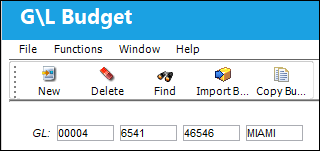
Once a account is specified, select the New  button to open the G/L Budget Update window.
Here, users can enter the budget amount (for both local and secondary currency) for each monthly period alongside a description of the budget plan.
When G/L Interface Switch  INVBALPERIOD is set to Yes, the G/L Budget will be divided by previously determined balance periods instead of by month. These periods are created through the Inventory Balance Periods window. The overall functionality of the G/L Budget window will not be affected by this change, only the way in which the budget it divided.
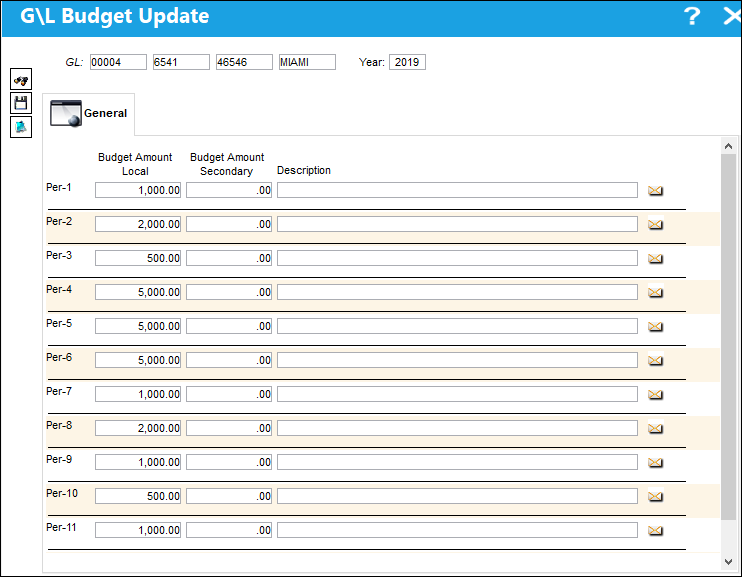
The following information/options are available in this window:
_____________________________________________________________________________________
G/L
Choose a specific G/L Account to create a G/L Budget for.
Year
Enter a year for the G/L Budget.
Budget Amount Local
The dollar amount of the G/L Budget (for the appropriately related month) in local currency. See the Currency Set Up section for additional information if required.
Budget Amount Secondary
The dollar amount of the G/L Budget (for the appropriately related month) in secondary currency. See the Currency Set Up section for additional information if required.
Description
A related description of the G/L Budget.
_____________________________________________________________________________________
Once all information has been entered, selecting the Save  button will save the budget plan. The G/L Budget window will now display the Budget amounts for each month.
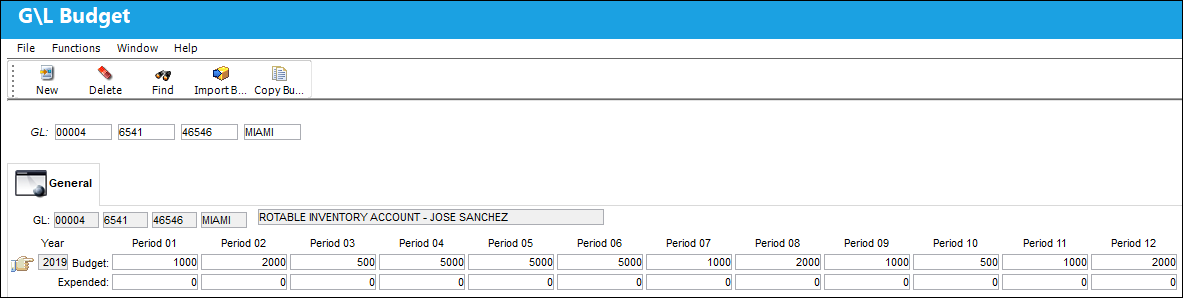
Then, whenever expenses are covered using the selected G/L Account, they will appear in the Expended fields. In this example, the user is covering a Purchase Order using the selected G/L Account:
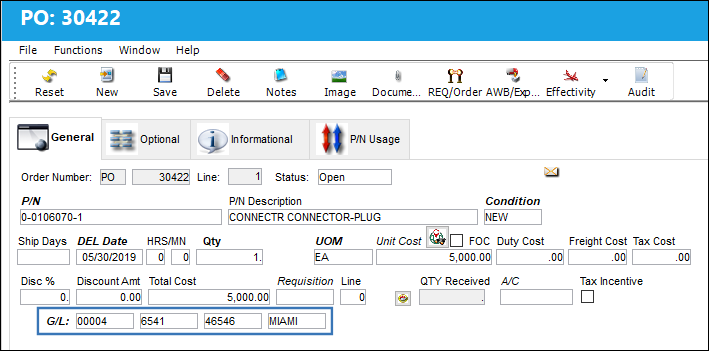
As a result, the Expended amount is adjusted for the period during which the P/O was covered.
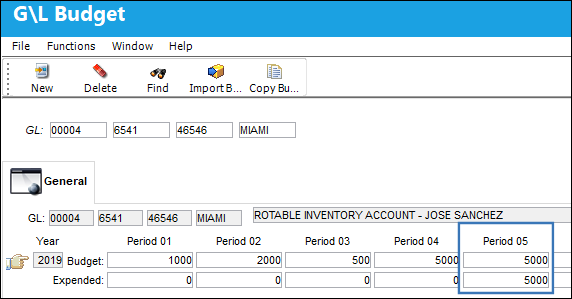
The Expended fields will only be updated when G/L Interface Switch GLBUDADD is set to Yes.
Expended amounts appear in red when they exceed the Budget amount for that period.

Additional functionality is available through the Import Budget  and Copy Budget
  buttons.
This update window is also available in query mode where users can view the records provided in this window but cannot create new records or edit existing data. Refer to this module's Query menu.
Share
Print
|
©1997-2026 Trax USA Corp. All rights reserved. This manual may not be copied, photocopied, reproduced, translated, or converted to any electronic or machine-readable form, in whole or in part, without prior written approval from Trax USA Corp. |
 |