
 Share
Share
 Print
Print
|
|
|
|
|


Inventory Balance Periods
The Inventory Balance Periods window is used to create individual periods containing start and end dates that are used for the reports via the G/L Inventory/Print/Inventory Costing print window. These Periods are used to allow companies to create their own specific fiscal years that can begin and end at their discretion. The periods can be set up matching the months of the year (ie: Period 1 = Jan 1 - Jan 31) or without a particular pattern (ie: Period 1 = July 8 - August 7). The fiscal year can commence and finish at any month of the year. Each fiscal year will contain 12 Periods of either 4 or 5 weeks per period.
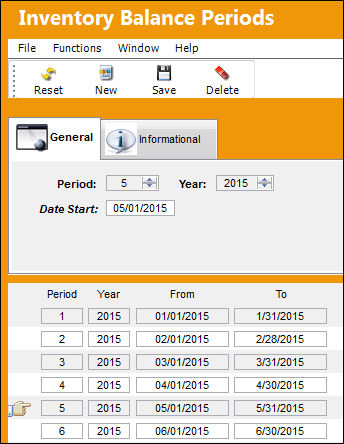
The functionality featured in this window is contingent upon G/L Interface Switch  INVBALPERIOD being set to 'Yes'. When set to Yes, the Inventory Costing and Balance prints refer to the pre-determined date Periods created in the Inventory Balance Periods window instead of the months of the year. When set to No, the Inventory Costing and Balance prints refer to the months of the year instead of Periods. For more information refer to Switch INVBALPERIOD via the G/L Interface Switches Manual.
Users can add Periods by selecting the New  button. Enter a Period number, the Year and the Start Date of the Period. Select the Save
  button to save.
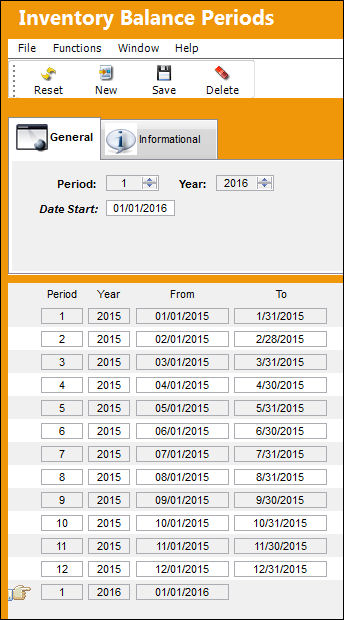
Notice the Period To Date (end date) is not included when creating new Periods. To Dates are created automatically for the previous Period when a new Period is created. For example, notice the creation of Period 6 has added a To Date to Period 5. The automated To Dates for the previous Period will take place one day prior to the new Period's From Date (start date). The To Date for Period 6 below will be entered when Period 7 is created.
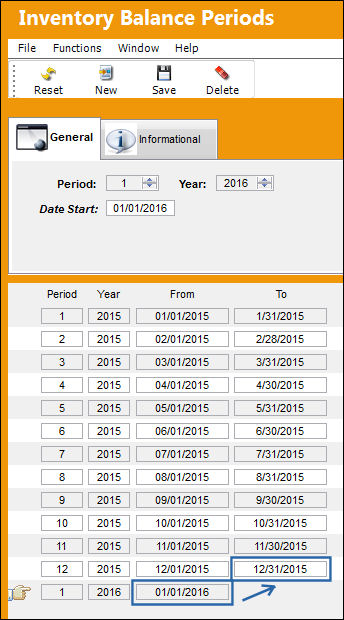
The Start Dates can be edited for each Period by selecting the Period with the Hand  pointer then entering a different date. Changing one Period's Start Date will automatically update the previous Period's To Date (end date).
Creation and modification information for the records can be viewed in the Inventory Balance Periods, Informational Tab.
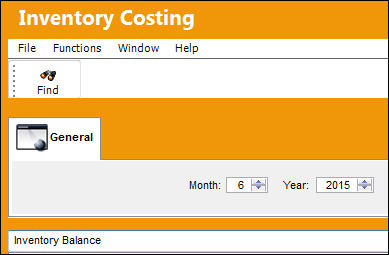
From the Inventory Costing print window, users can use the above Periods as search fields for various report types. Enter the Period number and Year then select the Find  button.
This update window is also available in query mode where users can view the records provided in this window but cannot create new records or edit existing data. Refer to this module's Query menu.
Share
Print
|
©1997-2026 Trax USA Corp. All rights reserved. This manual may not be copied, photocopied, reproduced, translated, or converted to any electronic or machine-readable form, in whole or in part, without prior written approval from Trax USA Corp. |
 |