 Download Online Help
 Print
|
|
|
|
|


Select the Re-order Levels  button to create the Re-order parameters for this Manual. When a specific location has a shortage of Manuals, the appropriate print will indicate as such (Library/Print/Manuals Re-order Level Print).
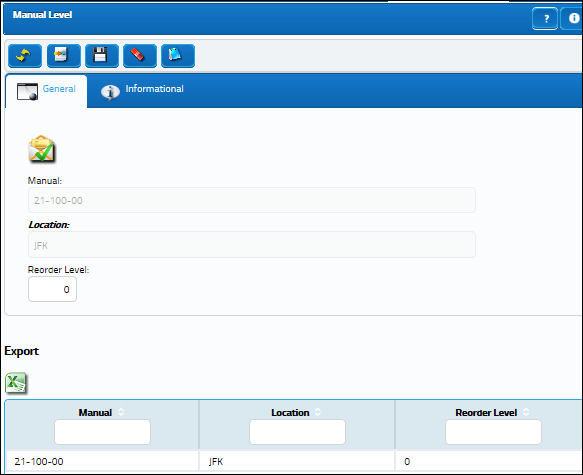
The following options/information is available in this window:
_________________________________________________________________________
Manual
The name of title of the manual.
Location
The location of the manual as entered during manual registration.
Re-order Level
The minimum quantity of the item that should be in-house before a Re-order is initiated.
_________________________________________________________________________
Note: The Inventory Checkbox (via Library/Update/Manual Registration) should be checked in order for that Manual to be counted as part of inventory then considered for Re-order calculation.
Additionally, the Manual Level, Informational Tab and the Notes  button are available to view and include information relevant to the record.
Download Online Help
Print
|
©1997-2018 Trax USA Corp. All rights reserved. This manual may not be copied, photocopied, reproduced, translated, or converted to any electronic or machine-readable form, in whole or in part, without prior written approval from Trax USA Corp. |
 |