 Download Online Help
 Print
|
|
|
|
|


TraxDoc Security Explorer
The TraxDoc Security Explorer is used to set security for the TraxDoc Categories. The TraxDoc security is used to control which users will have access to the TraxDoc Documents in that Category. The TraxDoc Security Explorer is also used to control what level of security a user will have in each category such as the ability to view, modify, print, export, or revise TraxDocs. A security profile (from eMRO Security Explorer) or individual users can be added to the each TraxDoc Category.
The system displays the TraxDoc Security Explorer window. Select the Expand  button for one of the TraxDoc Categories.
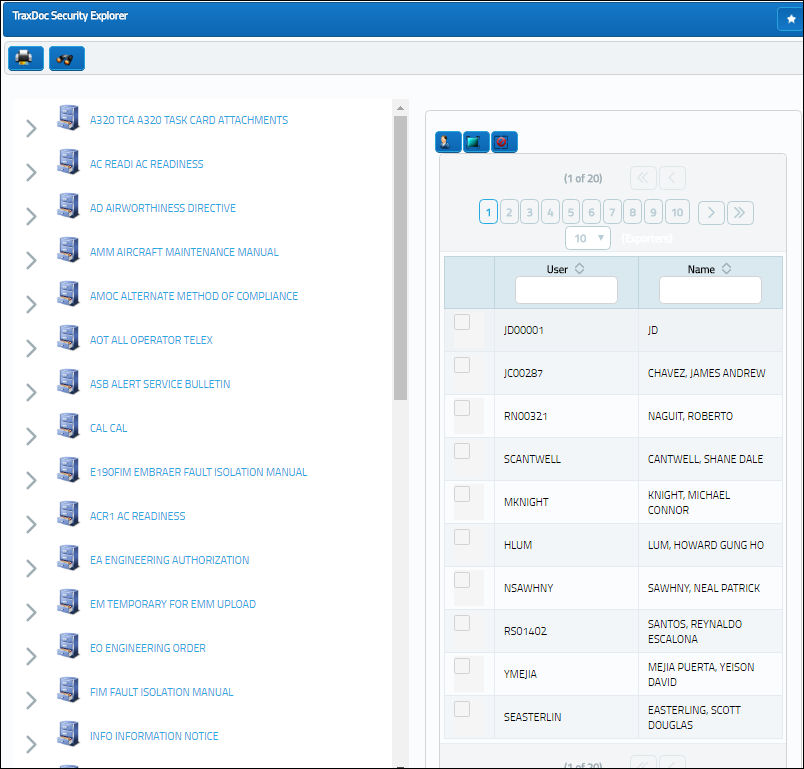
Select the name of the user in the right panel by selecting the checkbox not it. the User  button to the left panel and drop it in a group for a particular category.
The following pop up will appear. Select 'Yes.'
The following pop up appears. Use the Select All  and Deselect All
 buttons to grant access to the following options and select the Save
 button. The Save prompt will appear. Select 'Yes.'
The user has been granted security for the following TraxDoc Category:
Refer to the following for additional information:
Download Online Help
Print
|
©1997-2018 Trax USA Corp. All rights reserved. This manual may not be copied, photocopied, reproduced, translated, or converted to any electronic or machine-readable form, in whole or in part, without prior written approval from Trax USA Corp. |
 |