
 Share
Share
 Print
Print
|
|
|
|
|


TraxDoc Document Control, via TraxDoc Authorization Document Lock Manager
Select the record (the Selection  icon indicates the selected record) and Click the Select
  button to open the TraxDoc Document to show which files are being modified by which users.
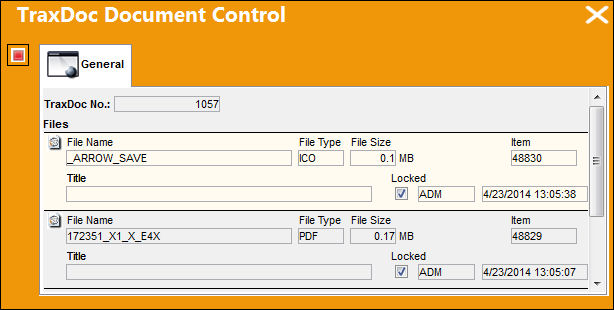
To unlock the file, select the Retrieve Cancel  button.
If you unlock the document any changes that the current user (Rania in this example) did to that file will not be saved. It is recommended that you contact the user(s) who have files open (i.e. Locked) and ask them to save and close the files to preserve any work that they did to those files.
Share
Print
|
©1997-2026 Trax USA Corp. All rights reserved. This manual may not be copied, photocopied, reproduced, translated, or converted to any electronic or machine-readable form, in whole or in part, without prior written approval from Trax USA Corp. |
 |