 Download Online Help
 Print
|
|
|
|
|


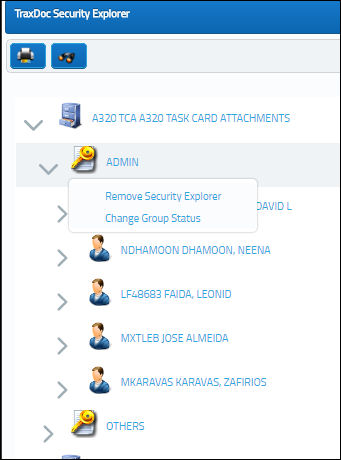
Select into a Security Profile, then select ‘Change Group Status’ to change the TraxDoc security access for that Security Profile. Select ‘Remove Security Profile’ to delete the Security Profile for that TraxDoc Category.
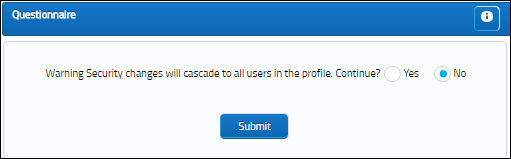
A warning is displayed to confirm that you want to change security for all users in the profile.
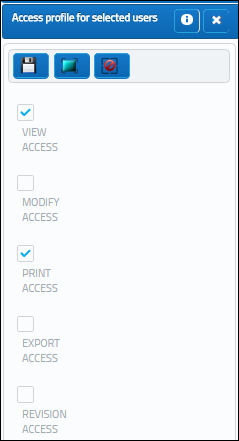
A window is displayed to select the TraxDoc Security access for the profile. Select the required security access and click Save.
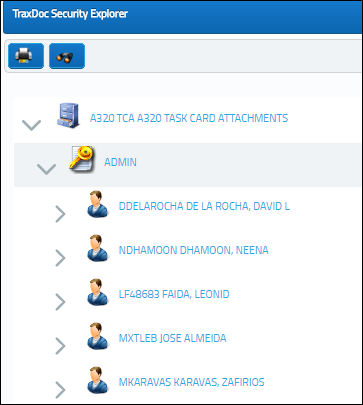
Click  on a Security Profile to expand it to show the Users.
Note that the TraxDoc Security access is applied to the Security Profile and is applicable to all Users in that profile. Security can not be set individually for the Users listed under a Security Profile.
Download Online Help
Print
|
©1997-2018 Trax USA Corp. All rights reserved. This manual may not be copied, photocopied, reproduced, translated, or converted to any electronic or machine-readable form, in whole or in part, without prior written approval from Trax USA Corp. |
 |