
 Share
Share
 Print
Print
|
|
|
|
|


On the Planning P/N Window, the user can create a Requisition for any part that is in deficit because of the current Planning search results.
If the balance of the P/N Quantity is below zero (i.e. there are not enough parts), the system will show the balance in red and there will be an arrow  beside the item.
Double click on the item to automatically create a Requisition for the currently selected item.
Select the Requisition Multi  button to create individual requisitions for every item with a balance below zero. Upon selecting the Requisition Multi button, a pop up window becomes available to pre-define the default Location and Priority fields for the multiple requisitions to be created.
The user may select the Exit button if no default Location and Priority is needed.
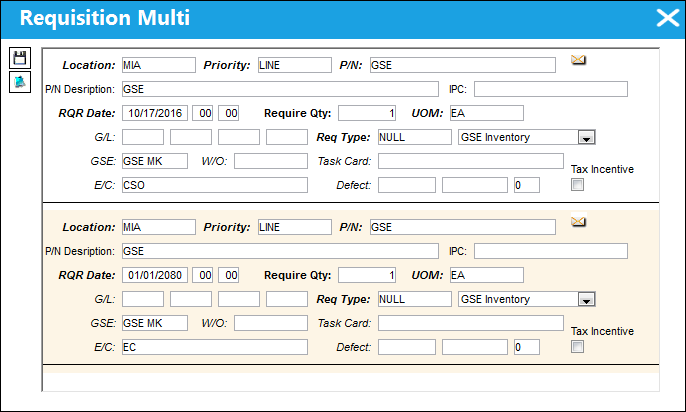
If a PO has been created for the available inventory, or it has been requisitioned, a hard warning will be produced.
For more information regarding Requisitions, please refer to the Requisitions Training Manual.
Share
Print
|
©1997-2026 Trax USA Corp. All rights reserved. This manual may not be copied, photocopied, reproduced, translated, or converted to any electronic or machine-readable form, in whole or in part, without prior written approval from Trax USA Corp. |
 |