 Download Online Help
 Print
|
|
|
|
|


Shop W/O Closing - Preliminary Steps
Before closing a Shop Work Order, all associated Task Cards and Engineering Controls must be closed or completed. When trying to close a Shop Work Order that has T/Cs and E/Cs that are not closed, the system will issue a hard warning.
To close a Shop Work Order's associated Task Cards, go to Shop/Update/Shop Work Order. Find the required Shop Work Order.
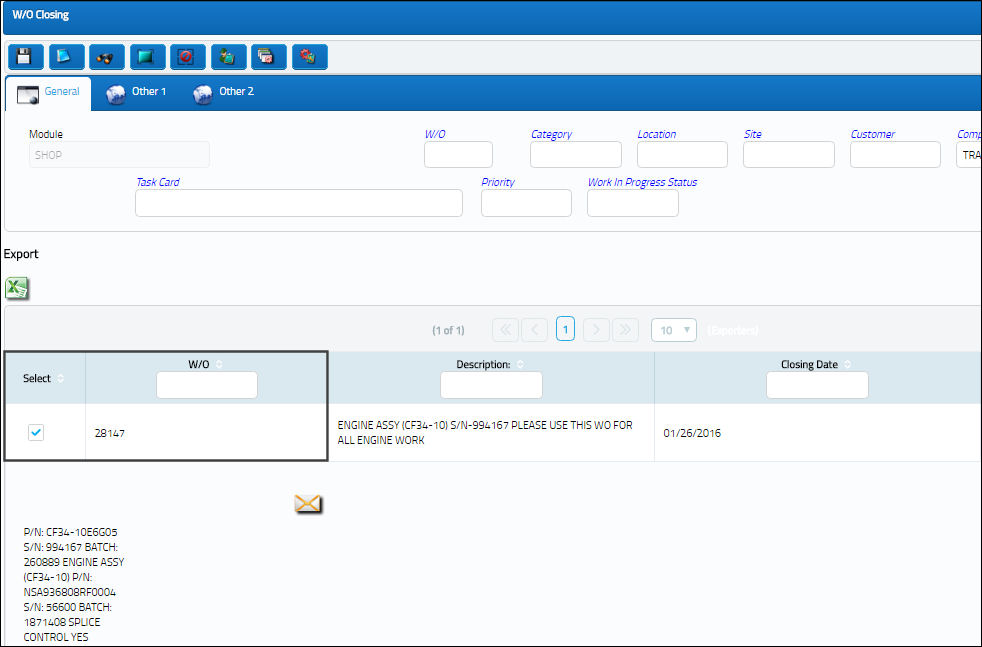
Users can close one Task Card or Engineering Control at a time. Select the Task Card Work  button (for attached Task Cards) or Engineering Control
 button (for an attached Engineering Control).
Note: The Task Card Work button and the Engineering Control button can be accessed via the Shop W/O Closing window.
Select the necessary Task Card.
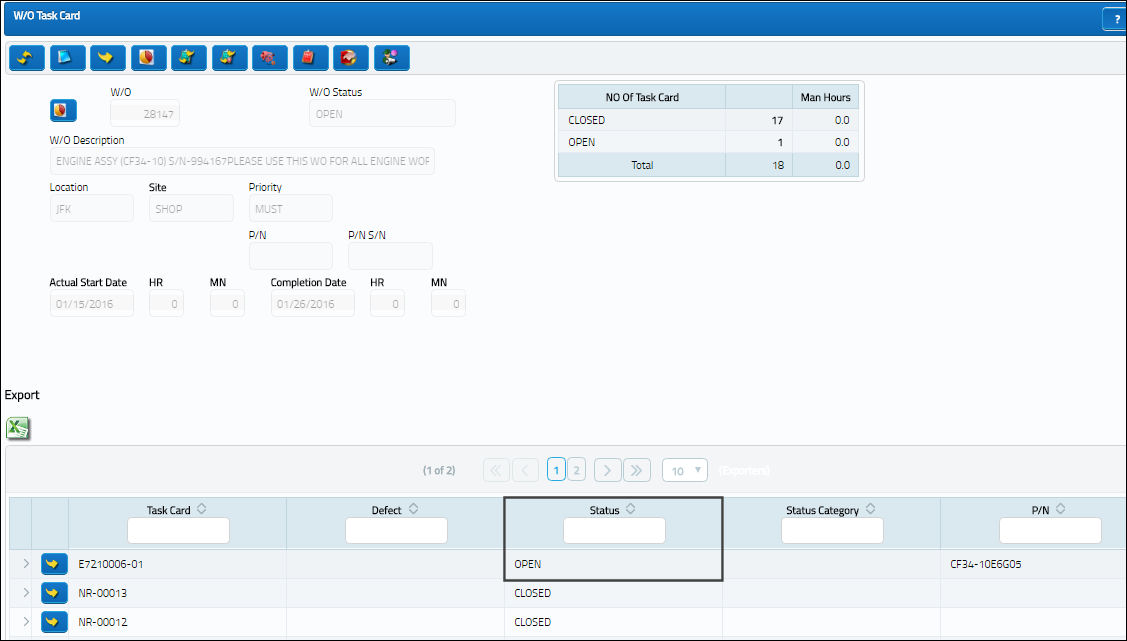
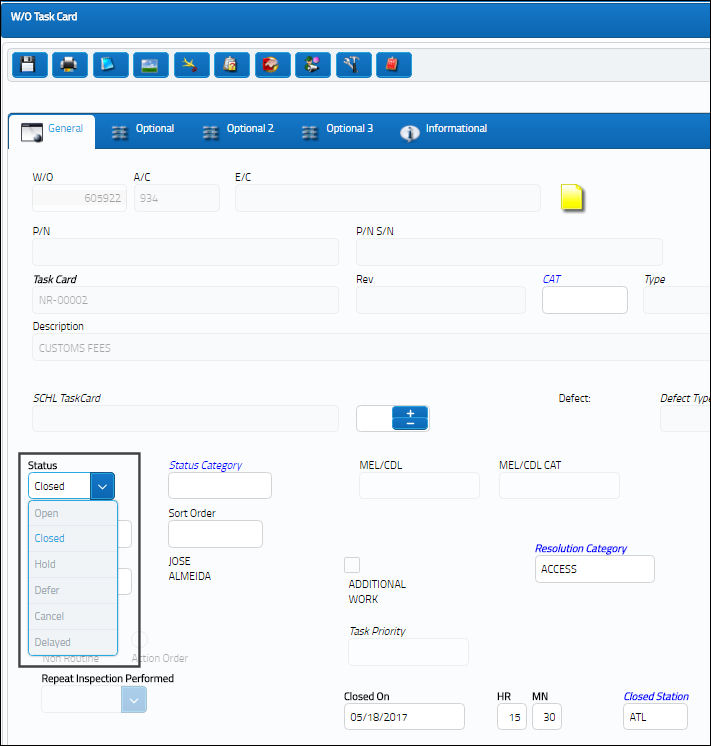
The Shop Work Order Task Card window appears. Use the drop down arrow in the Status field to Select the Closed status and select the Save  button.
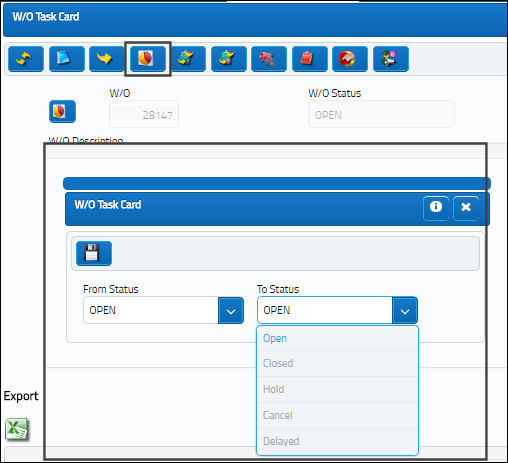
Alternatively, users can select the Status All  button and change the status of all Task Cards in a Shop Work Order without having to change the status of each Task Card separately. To do so, select the Status All button from the Shop W/O detail window.
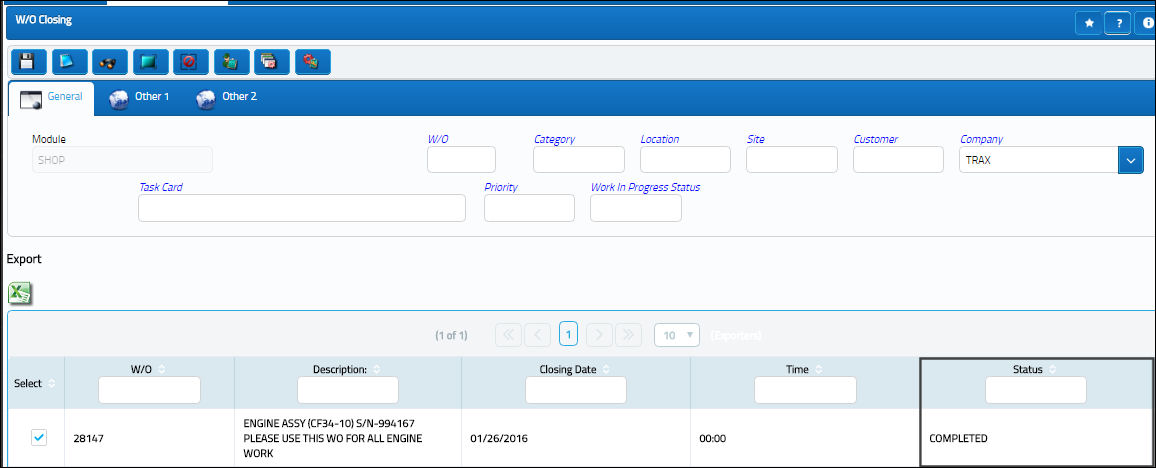
When selecting the E/C button in the Shop Work Order window, users are taken to the Work Order Engineering Control Update window where they can select 'Closed' for the E/C status. When the Task Cards and/or E/Cs are closed for a Shop Work Order, the Shop Work Order automatically goes from 'Open' to 'Completed' status. The Shop Work Order will then appear in the Shop Work Order Closing option so that it can be 'Closed.'
For more information refer to Closing a Shop Work Order.
Download Online Help
Print
|
©1997-2018 Trax USA Corp. All rights reserved. This manual may not be copied, photocopied, reproduced, translated, or converted to any electronic or machine-readable form, in whole or in part, without prior written approval from Trax USA Corp. |
 |