
 Share
Share
 Print
Print
|
|
|
|
|


W/O Template Detail, General Tab

From the detail window, W/O Task Card Phases can be linked to Groups and Items for those groups. These Items/Phases are then linked to Categories which represent worksite shifts (e.g., 'DAY' and 'NIGHT') and they can be flagged as T/C Milestones.
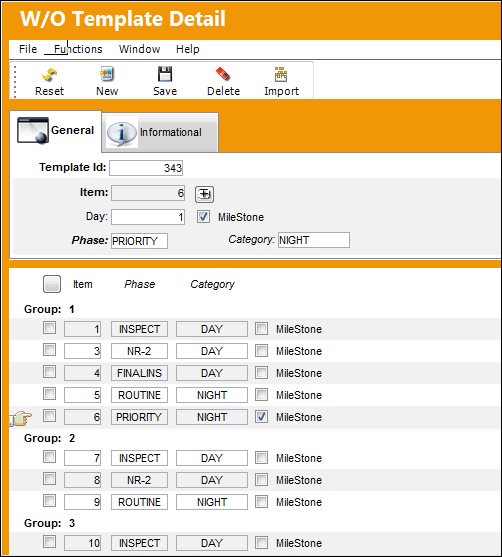
For more information on the Category field refer to the W/O Template Schedule transaction code.
Once the W/O Template is created, the template can be linked to W/Os through the W/O Template  button via the W/O Header window. For more information refer to the W/O Template Button, via Work Order of the Production Training Manual.
Share
Print
|
©1997-2026 Trax USA Corp. All rights reserved. This manual may not be copied, photocopied, reproduced, translated, or converted to any electronic or machine-readable form, in whole or in part, without prior written approval from Trax USA Corp. |
 |