
 Share
Share
 Print
Print
|
|
|
|
|


Picklists can be re-printed as needed through the Picklist Issue  button of Inventory Transaction.
TRAX displays the Picklist Issue Selection window. Enter the picklist in the Picklist field. Select the Find  button.
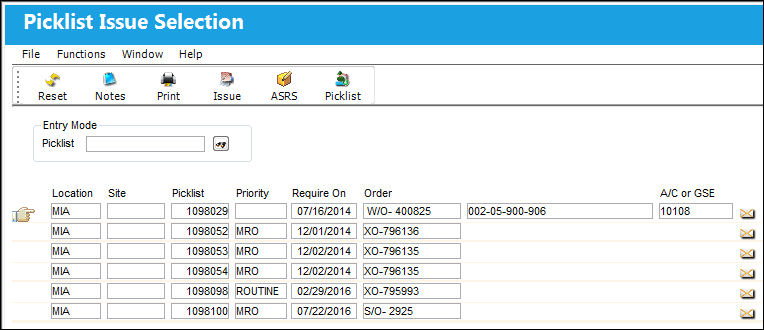
The Picklist Issue appears below:
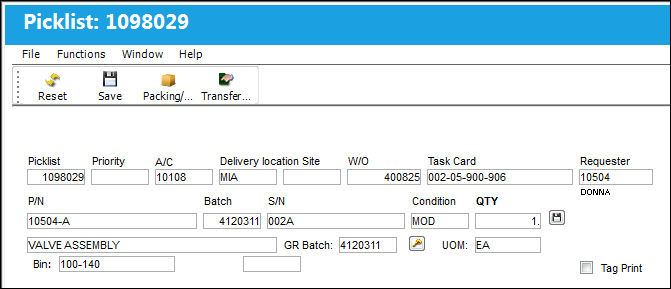
Users are allowed to issue Sales Orders of unserviceable parts to picklists.
The user can also run the P/N Explorer (right click, select Picklist Issue from the context menu). Select the Picklist Issue button.
TRAX will request the location that the user wishes to issue picklists from.
Following the selection of the location, the following screen will appear:
Select the picklist required so that the Hand  pointer is pointing at it and double click on the record.
Select the Print  button to re-print the picklist.
Share
Print
|
©1997-2026 Trax USA Corp. All rights reserved. This manual may not be copied, photocopied, reproduced, translated, or converted to any electronic or machine-readable form, in whole or in part, without prior written approval from Trax USA Corp. |
 |