
 Share
Share
 Print
Print
|
|
|
|
|


Check Out
In order to check out a GSE, find the GSE required in the list on the left hand side of the screen and select it. The GSE will be highlighted.
With the left mouse button held, drag the GSE into the right side of the screen:
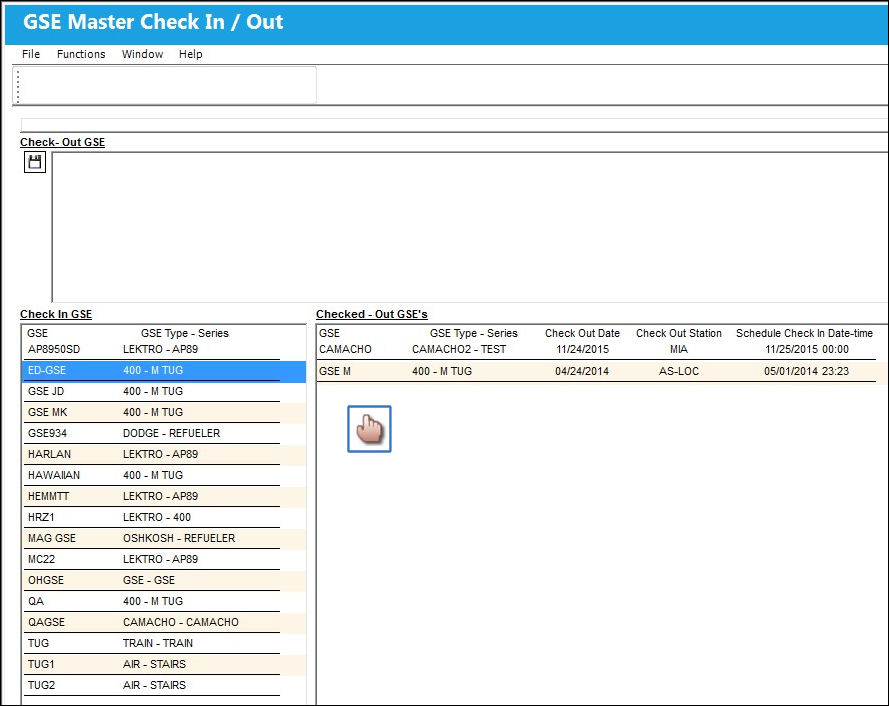
Once the Hand  pointer is in the check-out area, drop the part. In the top area of the screen, the system will ask you to enter additional information:
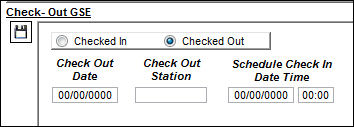
The following information/options are available in this window:
_____________________________________________________________________________________
Checked In/Out radio buttons
Automatically selected. Determines if the GSE is being checked in or checked out.
Check Out Date
Enter the date when the GSE is being checked out.
Check Out Station
Enter the station where the GSE is checked out. Note that the station has to be marked as 'Maintenance Facility' in order to be valid for this transaction.
Schedule Check In Time
Enter the date and the time when the GSE is supposed to be returned.
_____________________________________________________________________________________
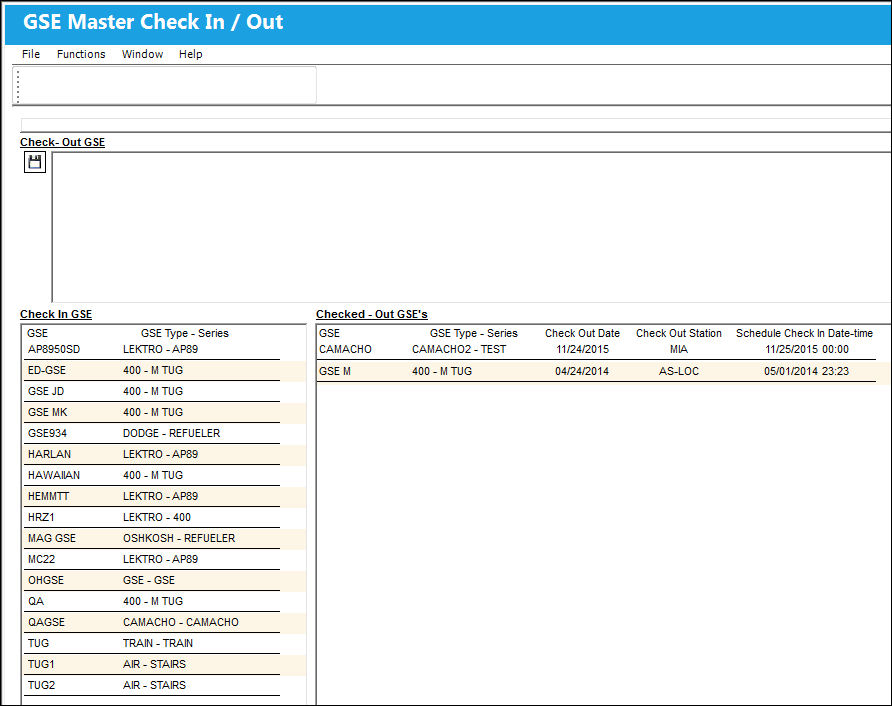
Select the Save  button to finalize the transaction. The GSE that was checked out will now appear on the right hand side of the screen in the Checked Out-Section:
Share
Print
|
©1997-2026 Trax USA Corp. All rights reserved. This manual may not be copied, photocopied, reproduced, translated, or converted to any electronic or machine-readable form, in whole or in part, without prior written approval from Trax USA Corp. |
 |