
 Share
Share
 Print
Print
|
|
|
|
|


GSE Master Check In/Out
The GSE Master Check In/Out allows users to send and receive GSE Equipment.
When opening the program, you will see all GSE Equipment currently not checked out on the left hand side of the screen, and all GSE Equipment that is currently checked out on the right hand side of the screen.
GSE/Update/GSE Master Check In/Out:
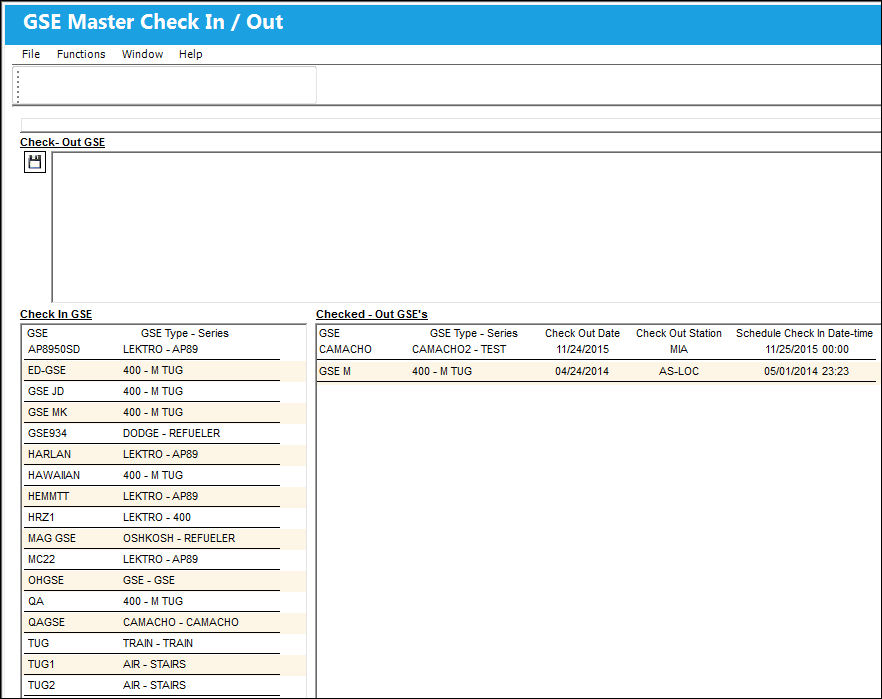
GSE can easily be checked in or checked out by simply dragging and dropping the part into the respective field.
For more information, refer to the Check Out and Check In topics.
Share
Print
|
©1997-2026 Trax USA Corp. All rights reserved. This manual may not be copied, photocopied, reproduced, translated, or converted to any electronic or machine-readable form, in whole or in part, without prior written approval from Trax USA Corp. |
 |