
 Share
Share
 Print
Print
|
|
|
|
|


Warranty Claim View, via Orders Explorer
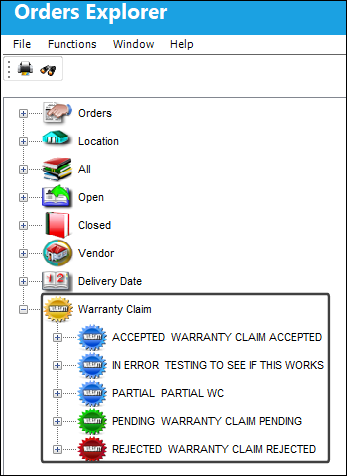
The Warranty Claim View displays all of the Orders in the system that are associated with a Warranty Claim. Select the Expand  button for any status of Warranty Claim to view orders with that claim status.
In this example, the user will select the Accepted Warranty Claim status. Every status offers an option to select from All orders or Vendor specific orders.
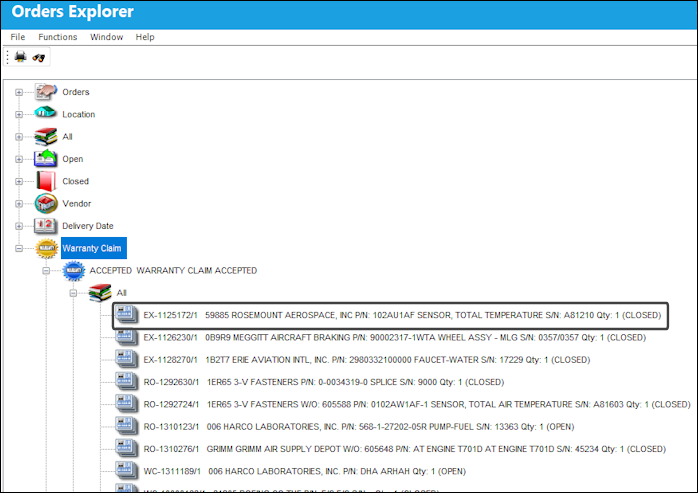
In this example, the user will select the All option. Select the first order.
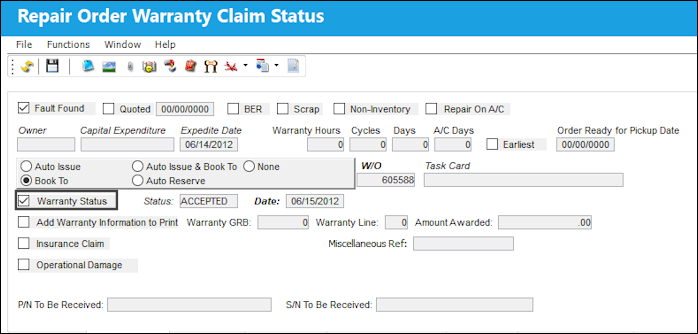
The Warranty status can be viewed via the Repair Order Warranty Claim Status, Optional tab.
Share
Print
|
©1997-2026 Trax USA Corp. All rights reserved. This manual may not be copied, photocopied, reproduced, translated, or converted to any electronic or machine-readable form, in whole or in part, without prior written approval from Trax USA Corp. |
 |