 Download Online Help
 Print
|
|
|
|
|


Accessing Jaspersoft Studio - for eMRO Cloud Users
If eMRO is deployed via Trax Cloud, the Trax Cloud team will set up an environment for you to access Jaspersoft Studio via a Remote Desktop.
Please contact TRAX IT for support to connect to Jaspersoft Studio.
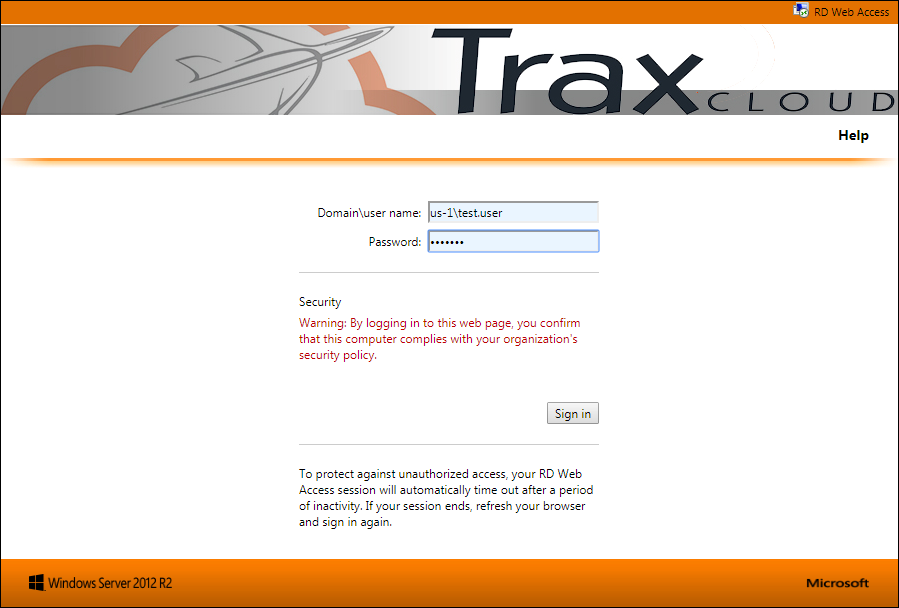
Via the Remote Desktop provided by Trax Cloud, enter the Domain\user name and Password. Sign in.
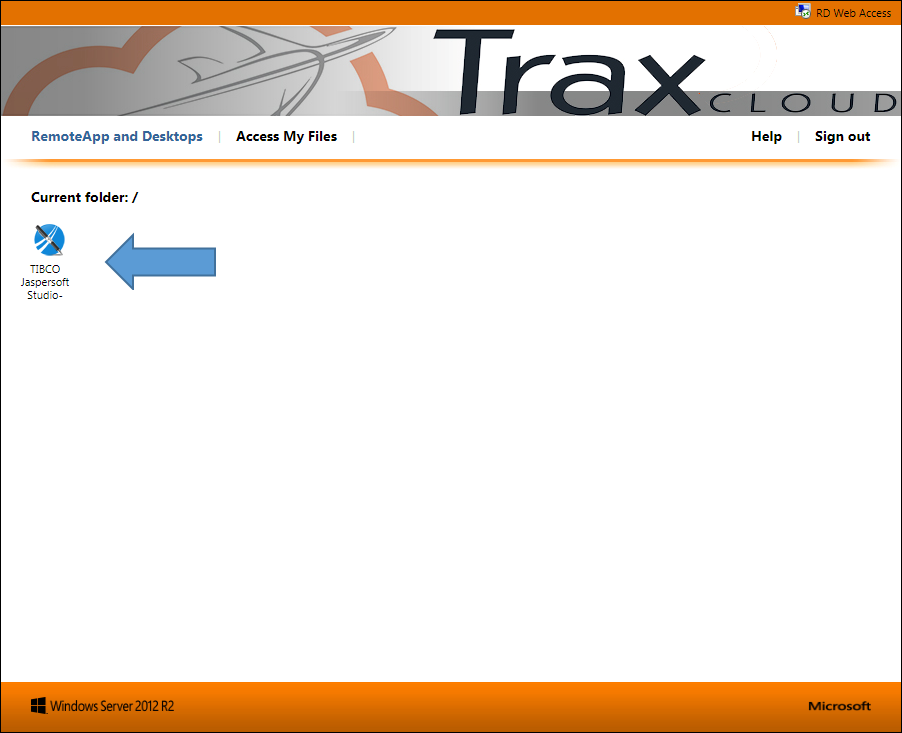
Select TIBCO Jaspersoft Studio.
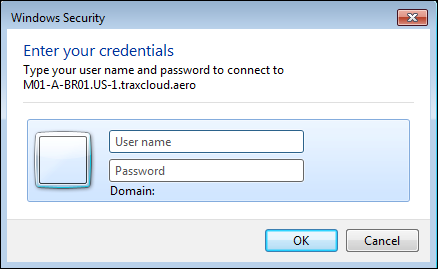
The user may have to enter their credentials.
Once logged in Jaspersoft Studio will open and will be connected to the appropriate database.
Download Online Help
Print
|
©1997-2018 Trax USA Corp. All rights reserved. This manual may not be copied, photocopied, reproduced, translated, or converted to any electronic or machine-readable form, in whole or in part, without prior written approval from Trax USA Corp. |
 |