 Download Online Help
 Print
|
|
|
|
|


Accessing Jaspersoft Studio - for eMRO On-Premise Users
If eMRO is deployed on premises, Jaspersoft Studio will need to be downloaded and configured locally.
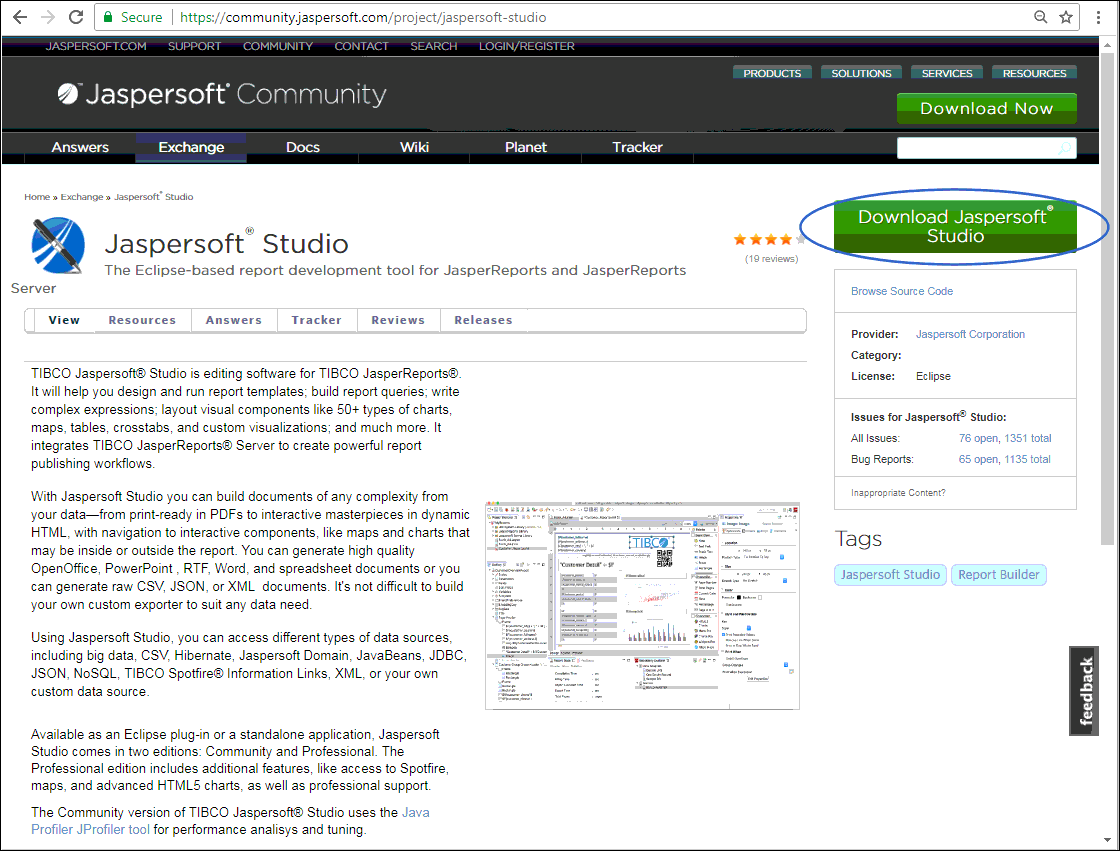
From your browser, search for Jaspersoft Studio. Once the correct version of Jaspersoft has been selected (see below), select 'Download Jaspersoft Studio'.
Note: Version 6 of Jaspersoft Studio is required for this functionality.
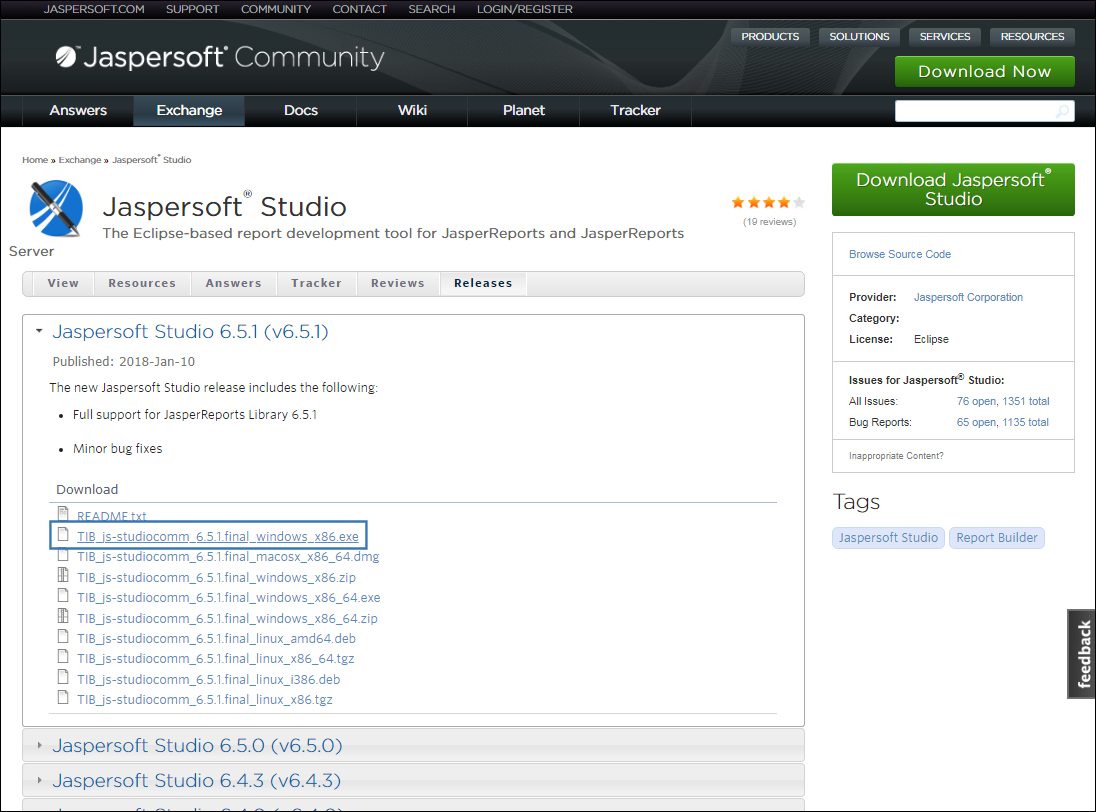
The user will be taken to the following webpage. Select TIB_js-studiocomm_6.5.1final_windows_x86.exe. This option has been highlighted below.
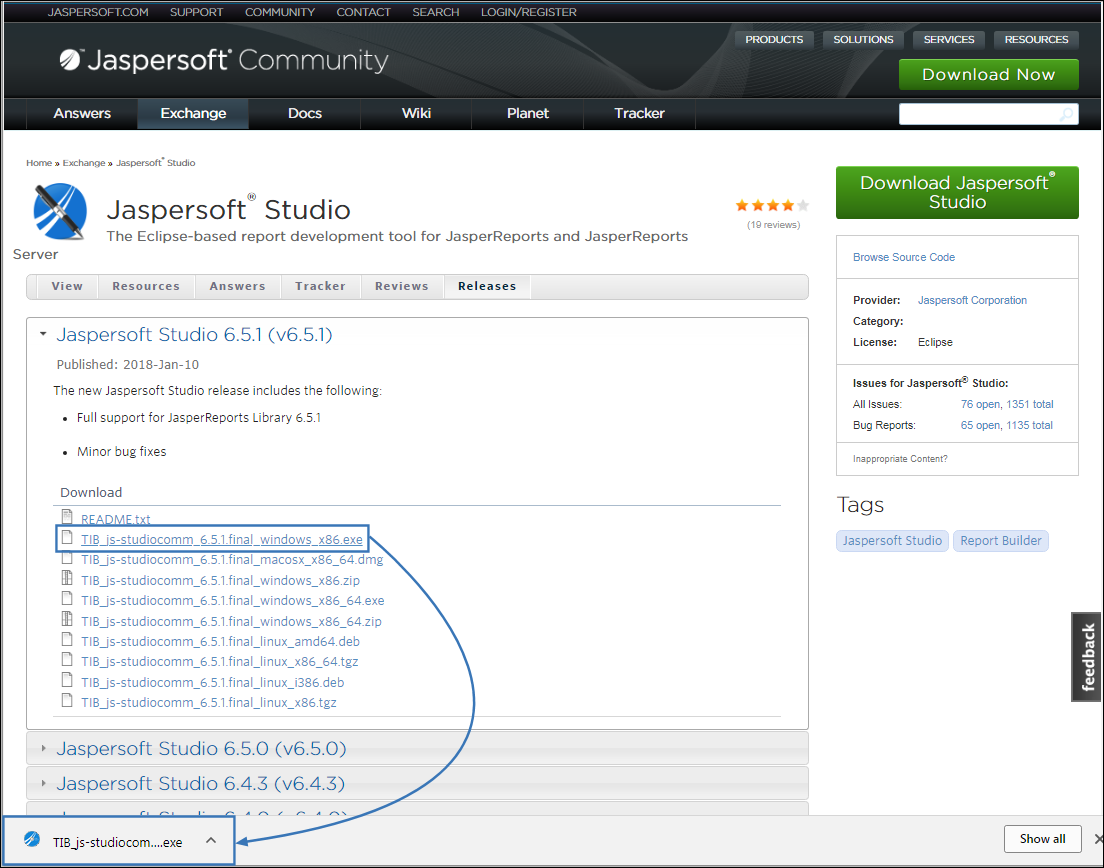
Once downloaded, open the file.

Once Jaspersoft has been downloaded, it must be connected to your Production or Test database where the reports will be viewed. You may need the assistance of your IT department to help you with this process.
Select the Create JasperReports Server connection  button to view the JasperReports Server Access Configuration.
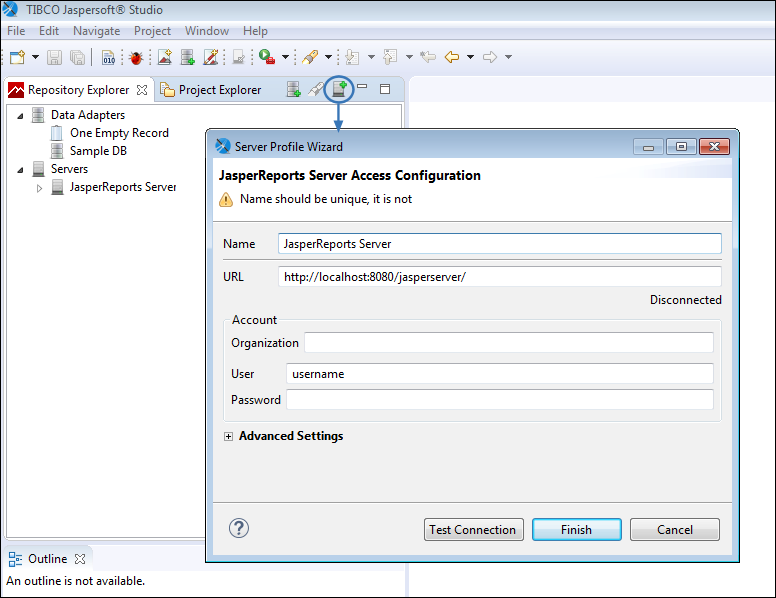
Note: Once Jaspersoft has been downloaded/installed, it must be connected to your Production or Test database where the reports will be viewed. You may need the assistance of your IT department to help you with this process.
Download Online Help
Print
|
©1997-2018 Trax USA Corp. All rights reserved. This manual may not be copied, photocopied, reproduced, translated, or converted to any electronic or machine-readable form, in whole or in part, without prior written approval from Trax USA Corp. |
 |