
 Share
Share
 Print
Print
|
|
|
|
|


The Concession Registry NLA's  button allows users to cascade down the concession for the NHA to the assembly's applicable NLAs. Only NLAs with the same P/N Control and Schedule parameters will be applicable, and will not include NLAs that are flagged for proration. See notes below.
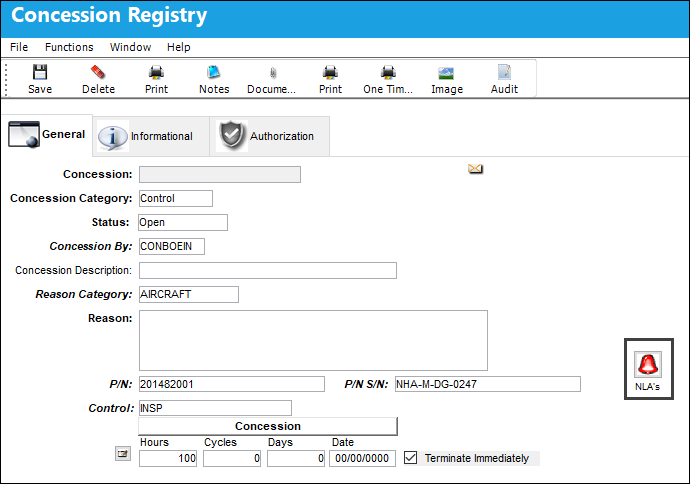
Note: This button will only appear if the P/N is an NHA, and the Concession Category is set to Control.
Note: Consult with your authorities before activating this functionality.
Clicking on the NLA's button will open a pop-up window within the General tab.
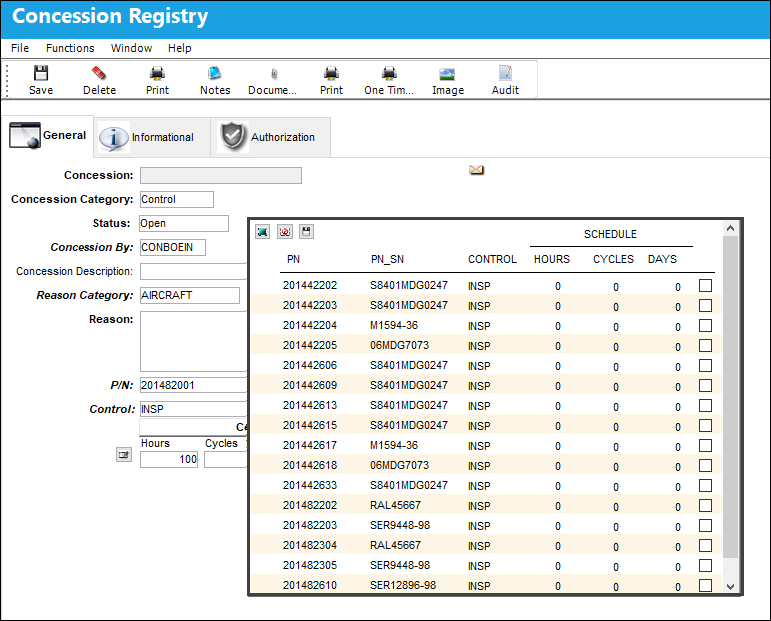
Note: Only NLAs with the same P/N Controls AND Schedules will be listed for this functionality. The NLA must use the same parameters (Hours/Cycles/Days) for the Control as its NHA. For example, if the NHA has a Control with 10000 Hours and 20000 Cycles, but the NLA only has the 20000 Cycles and not the Hours, that particular NLA will not be listed in the Concessions NLAs pop-up. Additionally, NLA parts that are flagged with Prorated Limits (via the P/N Master, Technical Engineering tab) will not be available here.
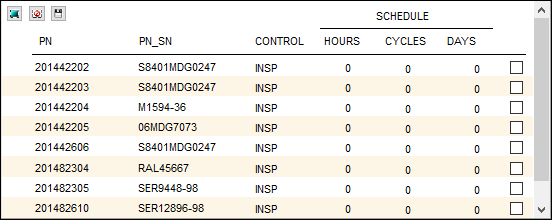
From this window, the applicable NLAs for the concession can be seen and selected to have the concession cascaded down.
Select the desired NLAs then click the Save  button.
Share
Print
|
©1997-2026 Trax USA Corp. All rights reserved. This manual may not be copied, photocopied, reproduced, translated, or converted to any electronic or machine-readable form, in whole or in part, without prior written approval from Trax USA Corp. |
 |