
 Share
Share
 Print
Print
|
|
|
|
|


Concession Registry
A concession will increase the schedule limitation for the specific item as per Company and Aviation Authority requirements (i.e. a concession is a granted extension).
This option will allow you to enter concessions for the following items:
- A/C E/C
- P/N E/C
- P/N Control
- Defect
Where a concession is applied to a repetitive inspection, once the inspection has been carried out, the concession limitation will be removed (subtracted) from the next occurrence of the inspection.
For example, if you apply a 20 hour concession to a 200 hour inspection, it will be due at 220 hours. Once an inspection is carried out at 220 hours, the next inspection will be due 180 hours later (not 200 hours). Furthermore, if the inspection was performed at 12 hours into the 20 hour concession (at 212 hours), the next inspection will be due 188 hours later (not 200).
The following tabs and buttons are available at the initial level.
Concession Registry Tabs |
Concession Registry Buttons |
General Tab Other Tab |
|

 New button
 Find button
 Select button
For information on the options in the detail level, refer to Concession Registry Detail.
The Concession  icon will appear next to the item on the A/C Planning Query window.
In the query results, the user may find the same item containing several concessions open and pending.
The following pop-up windows are displayed under the following instances:
No Hours/Cycles/Days/Date information is given, or there is no consistency between Concession and Planned Control mechanism(s). For example, there exists an Aircraft E/C planned by Hour-limit and the Concession is requested in Cycles or Days format. The following message will appear:
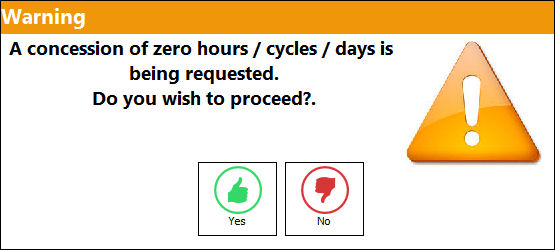
The Concession is greater than the Concession limit. For example, a Part Number E/C has a threshold or interval of 5000 hours and an Aircraft has a Concession limit of 5% or 150 hours.
Concession is greater than the E/C Schedule. For example, an Aircraft E/C has a threshold or interval of 500 hours and the Concession Registry request is for 600 hours. The following message will appear:
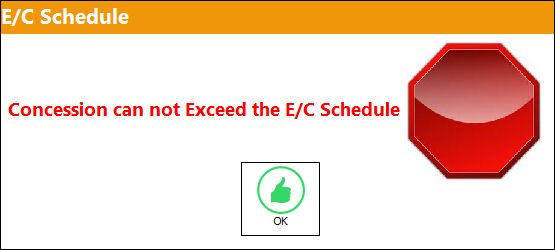
The Concession functionality can be found throughout the system. For additional information, refer to the A/C Type/Series, Concession Tab and the A/C Master, Concession Tab via the Settings Training Manual.
Share
Print
|
©1997-2026 Trax USA Corp. All rights reserved. This manual may not be copied, photocopied, reproduced, translated, or converted to any electronic or machine-readable form, in whole or in part, without prior written approval from Trax USA Corp. |
 |