
 Share
Share
 Print
Print
|
|
|
|
|


A/C P/N Transaction
The A/C P/N Transaction option will allow users to enter transactions related to parts for the aircraft (removals, installations etc.).
This window can be accessed from the Defect Report, W/O Task Card Work In Progress, as well as directly from Technical Record/Update/A/C P/N Transaction. The system will verify that the transaction is allowed by validating the status on each part. A warning message will be shown if there is a problem with the transaction. For example, if the part being installed has not been issued from Stores, if it has been issued to a different aircraft, or if the date being installed is prior to the last removal for the part, a warning message will be displayed.
All transactions will have free text ability if 'Dry Lease' is selected in the Ownership Control field via the A/C Master, Other 1 Tab.
Data from component changes is used as the basis for P/N reliability reports. Run the update - A/C P/N Transaction option and the following screen is displayed:
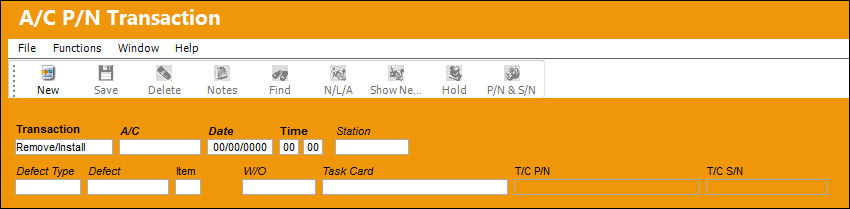
There are a number of possible selections for component change.
Use the Transaction drop list to choose a selection.
The following information/options are available in this window:
_____________________________________________________________________________________
Transaction
The Transaction type for the part(s).
Install Only - The Install Only selection is used to only install one Serial number (or assembly) to an aircraft.
Remove Only - The Remove Only selection is used when one Serial number (or assembly) is removed from an aircraft. This transaction will usually be followed by an Install (only) at a later time.
Interchange - The Interchange selection is used if the user has two part numbers and serial numbers installed and the positions are swapped and/or traded on the same A/C.
External Exchange - The External Exchange selection has the effect of creating a new serial number (Exchange unit in) on the part installed on the aircraft and removing (Exchange unit out) the removed serial number from the system.
Remove/Install - The Remove/Install selection is used when one serial number (or assembly) is installed on an aircraft and one serial number (or assembly) is removed from the same aircraft.
Up/Software - The Up/Software selection is used to load (attach) P/N Software to a P/N S/N component.
Date
The date of the transaction.
Time
The Time of the transaction (on the aircraft).
Station
The Station where the transaction will take place. Users are able create A/C P/N Transactions for locations that are Maintenance Facilities and NOT Station locations. Through printer configurations, labels for Serviceable and Unserviceable parts can be sent to different printers depending on the Station in the A/C P/N Transaction window. In previous releases, only the part's Location was considered. For more information refer to the System Printer Control via the System Administration Training Manual.
For this functionality to take place, Technical Records Switch  ACPNSTA must be set to 'Yes'. For more information refer to the Technical Records Switches Manual.
Defect Type
The type of defect found on the aircraft (for example, Pilot Report, MX Report). For additional information, refer to the Defect Type Transaction Code, via the Technical Records Transaction Code Manual.
Defect
The defect number (or log book number).
Item
The defect log item number.
W/O
The Work Order used to categorize, manage, and schedule work requirements for aircraft maintenance.
Task Card
The Task Card / Job Card that details the scheduled maintenance work.
T/C P/N
The Task Card part number.
T/C S/N
The Task Card serial number.
_____________________________________________________________________________________
If the Switch SYSDTDBS is set to Yes, the System Date and Time from the database server will be placed on records when creating all transactions. If set to No, the System Date and Time from the Client PC will be placed on records when creating all transactions.
If this screen was called from another option, some of the parameters will automatically be populated.
The Aircraft, Date of Change, and time of change must be entered. The date of the change is critical to calculate the correct hours/cycles on the component. The actual time of change is also required, and the entered time must be between the arrival flight prior to the change and the next departure flight after the change.
These transaction types can be individually accessible via system security. Please see Settings/Explorer/Security Explorer to set security.
 Part Number Removal/Install Process
Additional Functionality:
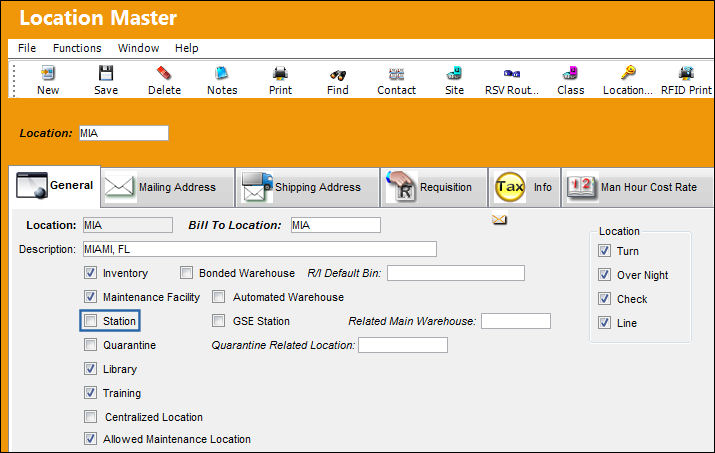
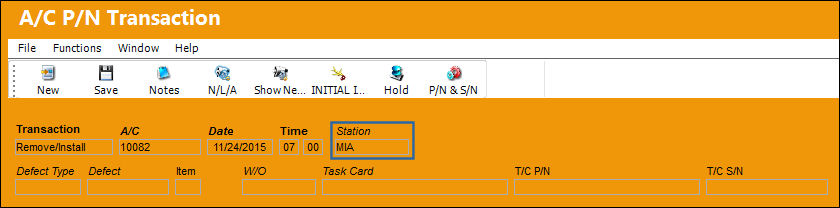
Users are able create A/C P/N Transactions for locations that are Maintenance Facilities and NOT Station locations.
Notice that the A/C P/N Transaction can be saved for a Maintenance Facility that is not a Station location.
For more information refer to the Location Master via the Settings Training Manual.
Installing an ETOPS A/C:
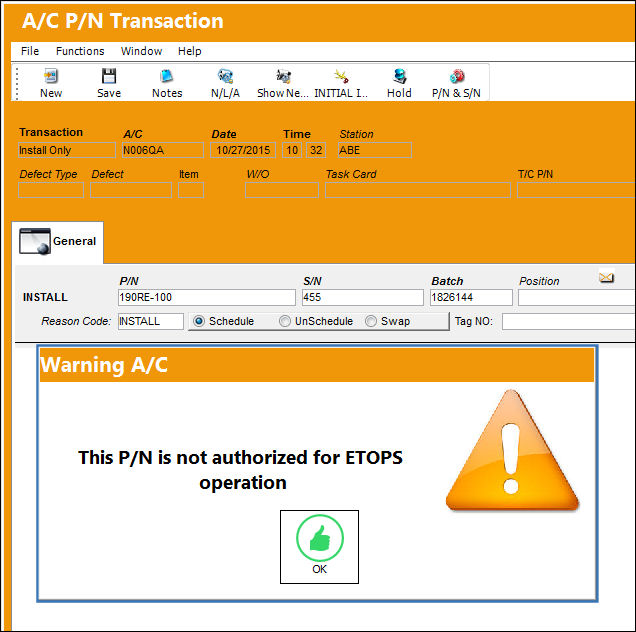
The following scenario is the installation of a non-ETOPS part onto an ETOPS aircraft:
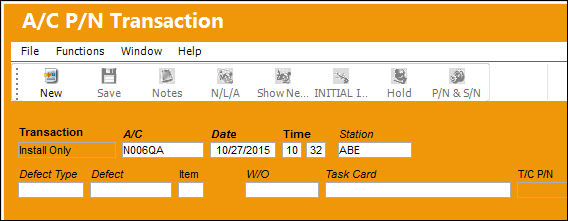
When performing any of the listed A/C P/N Transactions' with a ETOPS aircraft and a non-ETOPS authorized part number, the system will display the following warning message. The system is alerting the user that the part number is not authorized for ETOPS operation.
Install/Remove of an Interchangeable P/N:
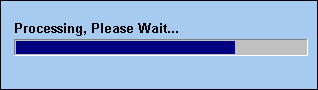
When an Interchangeable part is installed or removed from an Aircraft, a progress bar is displayed for each transaction being performed. This makes it clear for the user to see that changes are currently being processed.
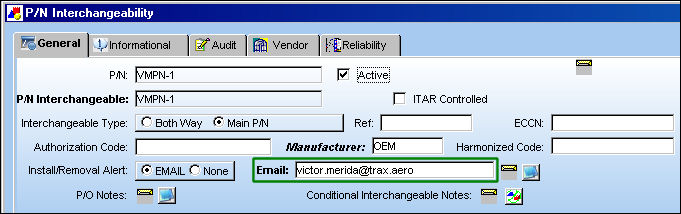
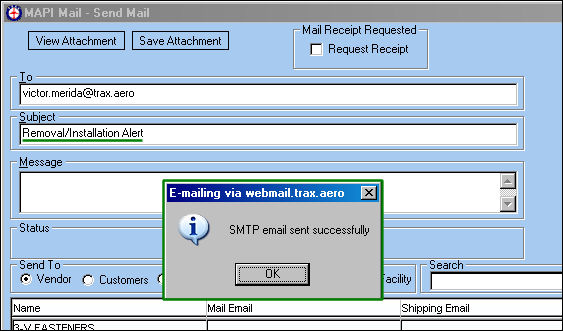
Once complete, an automatic email is sent to the user entered in the Email field of the P/N Interchangeability window for the part.
The following buttons are offered in this window for additional functionality:
- Notes Button
- N/L/A Button
- Show Next Higher PN Button
- Initial Install Button
- Hold Button
- P/N & S/N Button
This update window is also available in query mode where users can view the records provided in this window but cannot create new records or edit existing data. Refer to this module's Query menu.
Share
Print
|
©1997-2026 Trax USA Corp. All rights reserved. This manual may not be copied, photocopied, reproduced, translated, or converted to any electronic or machine-readable form, in whole or in part, without prior written approval from Trax USA Corp. |
 |