
 Share
Share
 Print
Print
|
|
|
|
|


Dent Mapping

The Dent Mapping window allows users to physically mark dents on images of the aircraft where one or more defects have been identified. This all inclusive window allows the user to query for specific defects depending on the search criteria entered in the Query Area. The user is able to utilize the Work Area while viewing all images or only effective images to an aircraft. This Dent Mapping window offers many new features to enhance the dent mapping process, all of which are highlighted in the upcoming topics.
 This window is security controlled via Technical Records/ Update. For additional information, refer to the Security Explorer via the System Administration Training Manual.
The form records must be created and the form images must be uploaded prior to the use of the Dent Mapping window. For additional information, refer to the Intelli Form Button, via Aircraft Type/Series.
Dent Mapping images should be smaller than 1400 x 740 pixels for the best picture results.
Enter any desired search criteria and select the Find  button. In the following example, the user has elected to search by aircraft.
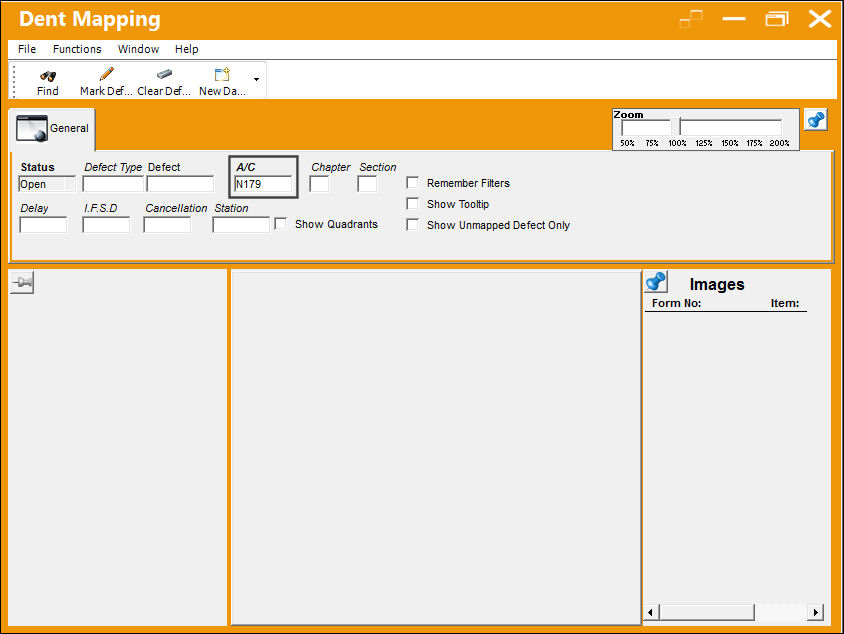
The query for the aircraft has returned the following results:
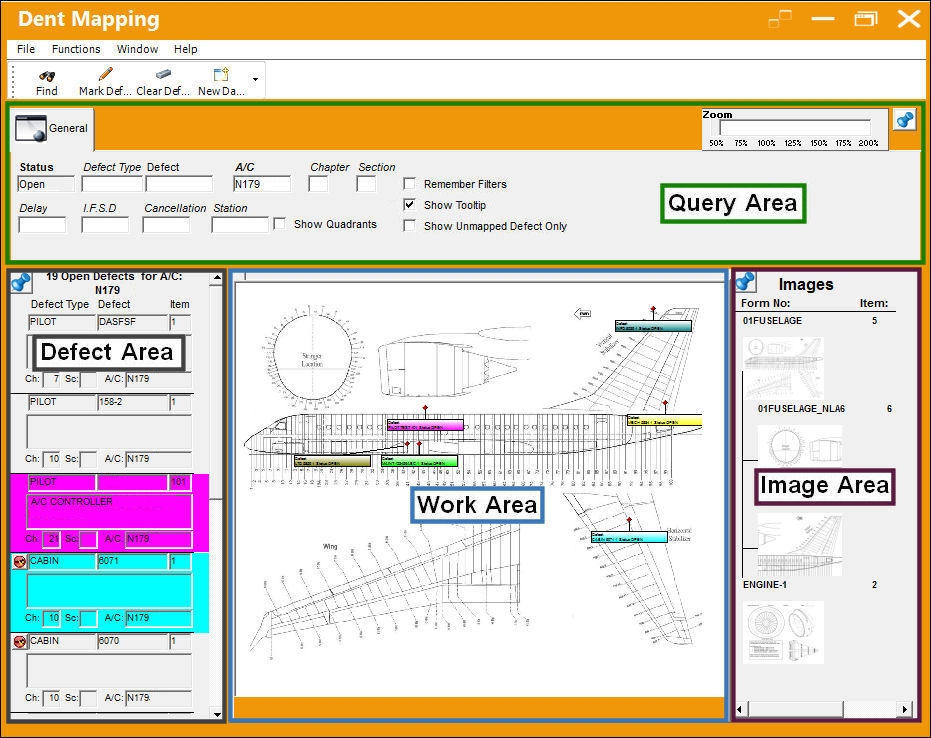
The following topics cover the areas highlighted above:
- Query Area (green)
- Defect Area (grey)
- Work Area (blue)
- Image Area (purple)
This update window is also available in query mode where users can view the records provided in this window but cannot create new records or edit existing data. Refer to this module's Query menu.
Share
Print
|
©1997-2026 Trax USA Corp. All rights reserved. This manual may not be copied, photocopied, reproduced, translated, or converted to any electronic or machine-readable form, in whole or in part, without prior written approval from Trax USA Corp. |
 |