
 Share
Share
 Print
Print
|
|
|
|
|


Work Area, via Dent Mapping

The Work Area allows the user to mark dents on images of the aircraft.
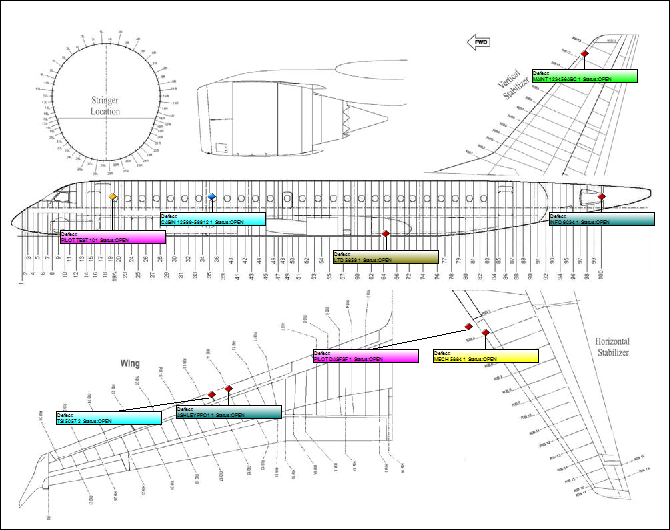
The following information/options are available in this window:
_____________________________________________________________________________________
Red Dent  Mark
Mark
When a dent marking appears in red, this indicates that a dent has been associated to the form.
Green Dent  Mark
Mark
When a dent marking appears in green, this indicates that the dent is associated to a Defect Report that is closed.
Blue Dent  Mark
Mark
When a dent marking appears in blue, this indicates that there is an existing damage report associated to the dent. For information regarding damage reports, refer to the Update Damage Chart Button via the Work Area.
Yellow Dent  Mark
Mark
When a dent marking appears in yellow, this indicates that a specific dent has been selected.
 Note: Only the Red, Blue, and Yellow Marks appear, without the hypertext, in the Work Area. Hovering over each Mark allows for the hypertext of the particular dent to appear and display the Defect Type, Number, and Status.
_____________________________________________________________________________________
The following buttons also offer additional functionality for this area of the Dent Mapping window:
From the Dent Mapping window, select the defect to be marked as a dent from the Defect Area. Select the Mark Defect  button.
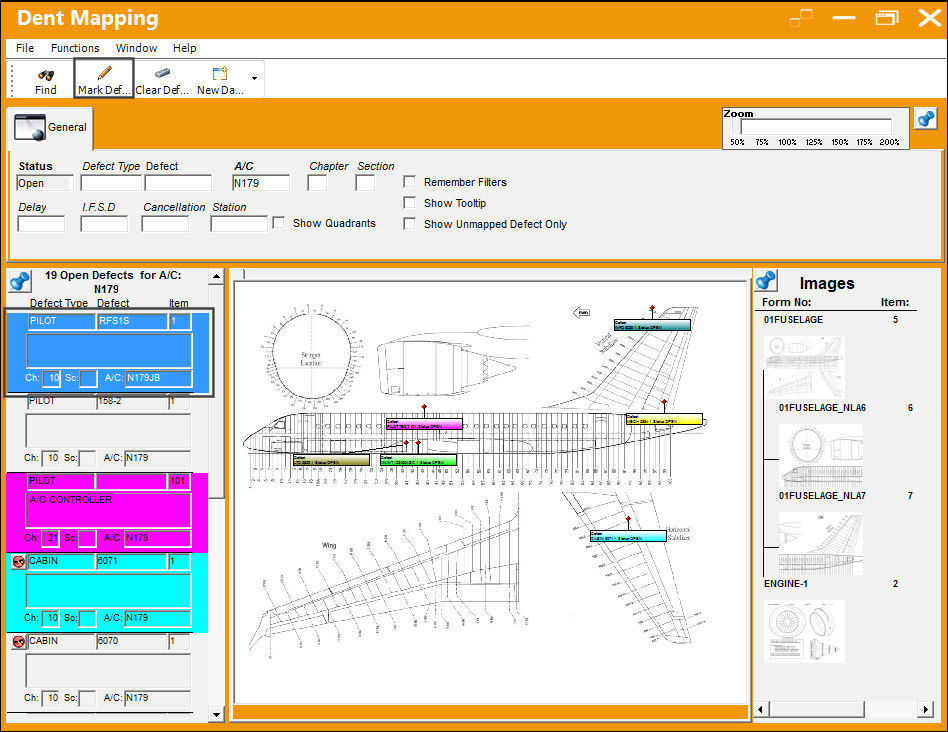
The dent has been marked on the image.
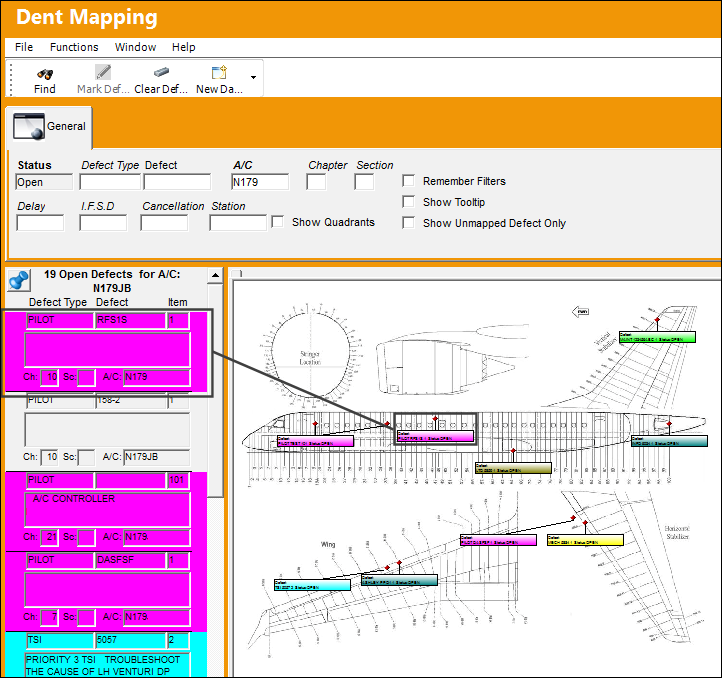
The user may select the Clear Defect Mark  button to remove the marked dent on the image.
Share
Print
|
©1997-2026 Trax USA Corp. All rights reserved. This manual may not be copied, photocopied, reproduced, translated, or converted to any electronic or machine-readable form, in whole or in part, without prior written approval from Trax USA Corp. |
 |