
 Share
Share
 Print
Print
|
|
|
|
|


A/C Units
This option is used where Aircraft Unit data is required to be entered separately from the Aircraft Flight Data.
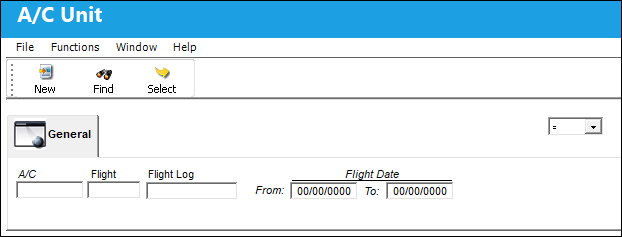
To modify an existing record, click on the Find  button (to show all records) or enter specific criteria to narrow the search. The following screen will appear.
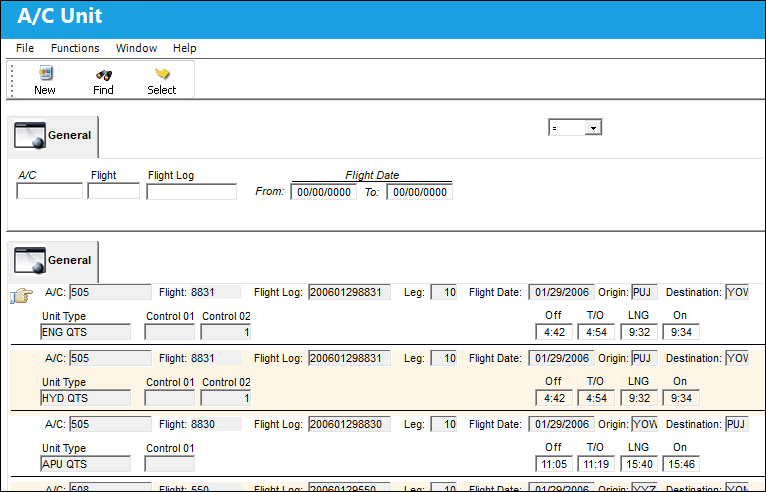
Confirm that the Hand  pointer is pointing to the record with which you want to work by clicking on the record, then click on the Select
  button. The system will then take you to the entry screen for the relevant A/C Unit data (according to the individual aircraft configuration).
Fill the required fields and any additional fields desired.
If you want to create a new A/C Unit record, click on the New  button. The following pop-up screen will appear.
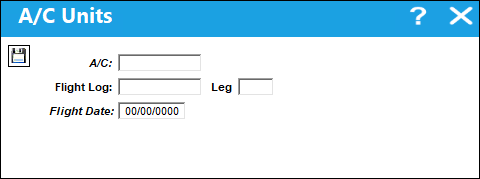
The following information/options are available in this window:
_____________________________________________________________________________________
A/C
The individual aircraft tail number. Upon populating the A/C, Open A/C Actual Flights will be shown to be selected to automatically populate the Flight Log and Leg.
Flight 
The flight reference number/information.
Flight Log
The unique Flight Log number for the flight.
Leg
The Flight Leg number for the flight.
Flight Date
The date of flight data.
_____________________________________________________________________________________
Fill the required fields. Then click on the Save  button to save the record. The system will then take you to the entry screen for the relevant unit data (according to the individual aircraft configuration). The following screen will appear.
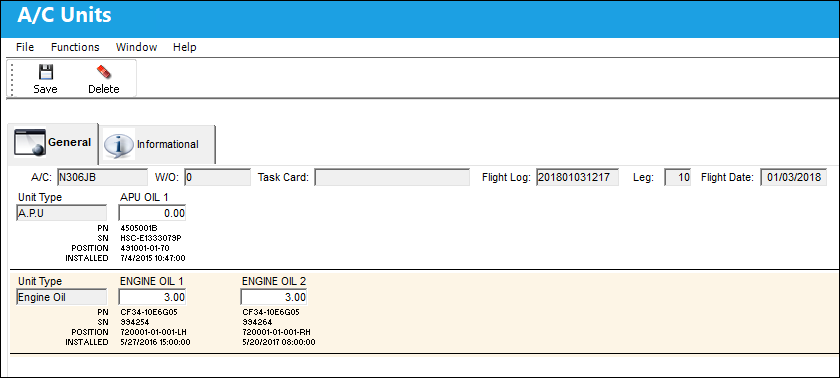
Fill in the fields as required. Decimal amounts may be used in every field. After filling the required fields, click on the Save button.
Information regarding the creation and modification of the record can be found in the A/C Units Detail, Informational Tab. For information about relevant prints, refer to the Run A/C Unit Report topic.
 Share
Print
Share
Print
|
©1997-2026 Trax USA Corp. All rights reserved. This manual may not be copied, photocopied, reproduced, translated, or converted to any electronic or machine-readable form, in whole or in part, without prior written approval from Trax USA Corp. |
 |