
 Share
Share
 Print
Print
|
|
|
|
|


A/C P/N Transaction Audit
The A/C P/N Transaction History Audit window is used to approve A/C P/N Transactions that have been placed on Hold before being completed. From this window transactions can be deleted and transaction information can be edited. Once transactions are saved, they are removed from this audit window.
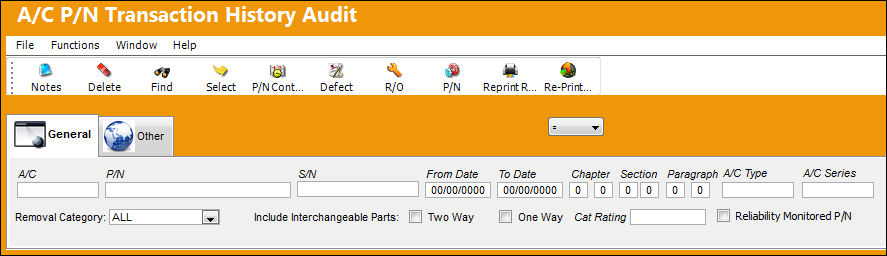
The following information/options are available in this window:
_____________________________________________________________________________________
A/C
The individual aircraft tail number.
P/N
The Part Number reference for the aircraft part.
S/N
The Serial Number for the specific serialized part.
From Date
The beginning date for transaction history.
To Date
The end date for transaction history.
Chapter / Section / Paragraph
The ATA chapter/section/paragraph, as applicable.
A/C Type / Series
The Aircraft Type and Series/Fleet assignment.
Removal Category drop down
Select the removal category from the drop down window. This field is only available when searching for removal transactions. The following options are available:
- Schedule
- Un/Schedule
- Swap
- ALL (default selection)
Include Interchangeable Parts checkboxes
Select either Two Way and/or One Way.
Cat Rating
The CAT Rating is the description of the type of A/C landing system and is informational only.
Reliability Monitored P/N checkbox
Select this checkbox to have the Reliability module provide statistical data (on reports and Recurrent Alert Items) regarding the reliability of this particular part. Reports can then be filtered to display only parts that are “Reliability Monitored.”
_____________________________________________________________________________________
Additional search criteria can be entered through the A/C P/N Transaction History Audit, Other Tab.
A/C P/N Transactions are listed within the A/C P/N Transaction History Audit because they have been placed on Hold through the Hold  button from in the A/C P/N transaction window. For more information refer to the Hold Button.
From the A/C P/N Transaction History Audit, the following buttons are available for additional functionality:
P/N Control Button
Defect Button
R/O Button
P/N Button
Reprint Removal Tag Button
Re-Print Form-1 Button
Click the Select  button to view the A/C P/N Transaction information. Once selected, users can edit information, if needed, through the Allow Edit
  button. A/C P/N Transactions can be completed by saving the transaction. For example, select a transaction in the Audit window.
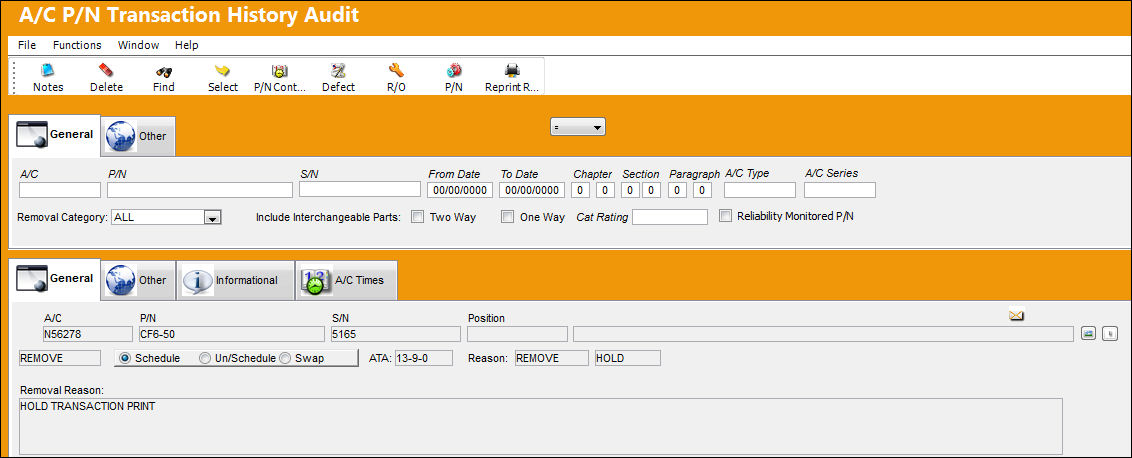
Once in the Audit detail window, verify and/or edit all information then save. Once saved, the transaction is removed from Hold status and the transaction is completed.
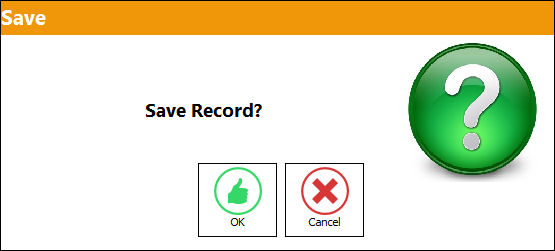
From the A/C P/N Transaction History Audit, notice that the above transaction has been removed from the audit window.
Auditors can also select the Delete  button to delete A/C P/N Transactions. This option is only available in the audit window and is therefore not available in the A/C P/N Transaction or the A/C P/N Transaction Supervisor windows.
Share
Print
|
©1997-2026 Trax USA Corp. All rights reserved. This manual may not be copied, photocopied, reproduced, translated, or converted to any electronic or machine-readable form, in whole or in part, without prior written approval from Trax USA Corp. |
 |