
 Share
Share
 Print
Print
|
|
|
|
|


Install Only, via A/C P/N Transaction
One Serial number (or assembly) is installed on an aircraft, no removal is taking place.
The Serial number that is to be installed must already be issued from Stores, otherwise the transaction will not be allowed to take place. This is to maintain data integrity.
This issue transaction requirement can be switched off if your company is only using the Technical Records module. The system switches can be found in the System Administration/Explorer/System Transaction Configuration.
A transaction record is written for the removed part(s). This will include the P/N control times (TSN [Time Since New], TSO [Time Since Overhaul] etc.) as of the transaction.
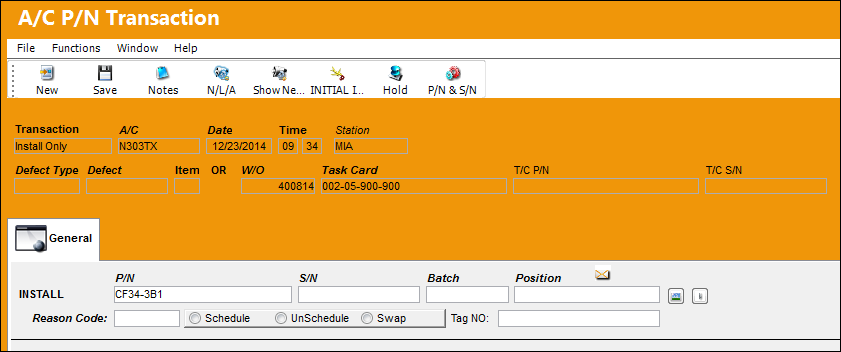
The following information/options are available in this window:
_____________________________________________________________________________________
P/N
The Part Number reference for the aircraft part.
S/N
The Serial Number for the specific serialized part.
Batch
The inventory number that is currently associated with a part or group of parts. A part's Batch number can change after various types of transactions take place.
Position
The Position of the item being installed.
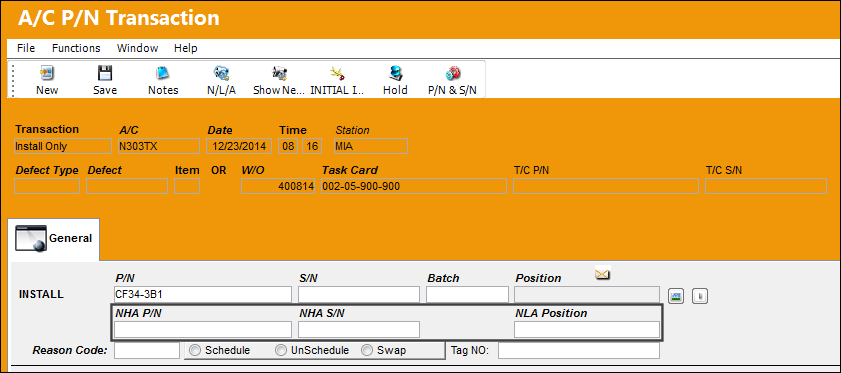
NHA P/N
The Next Higher Assembly Part Number. This field is only available if the P/N being installed is an NLA.
NHA S/N
The Next Higher Assembly Serial Number. This field is only available if the P/N being installed is an NLA.
NLA Position
The Next Lower Assembly P/N position. This field is only available if the P/N being installed is an NLA.
Reason Code
The reason for changing the part.
Schedule radio button
Select this radio button if this is a scheduled component change.
Unscheduled radio button
Select this radio button if this is an unscheduled component change.
Swap radio button
Select this radio button if this component change is a result of a swap.
Tag No.
The tag number associated with the part.
This Tag Number populates the Tag Number in Inventory Detail/Transaction History.
_____________________________________________________________________________________
 Part Number Removal/Install Process
Installing an NHA:
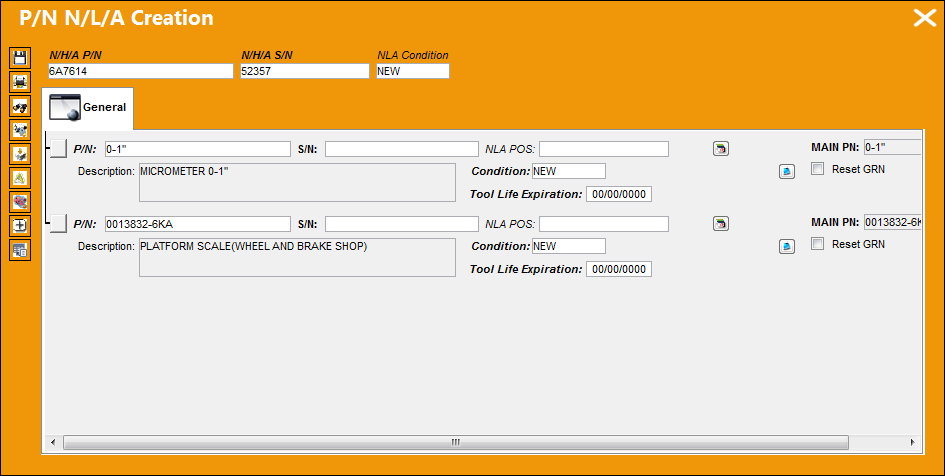
When installing a NHA part onto an aircraft, the following pop up window will appear allowing the user to install the NLA parts for the NHA onto the aircraft along with the NHA.
For additional information on how to create/install NLA parts, refer to P/N N/L/A Creation, via the Technical Records Training Manual.
Installing an NLA with an A/C Position:
When an NLA part with an A/C Position is being installed onto an aircraft, once the P/N is inserted into the P/N field a prompt will appear asking the user if the part is going to be installed as part of an assembly or separate from the assembly.
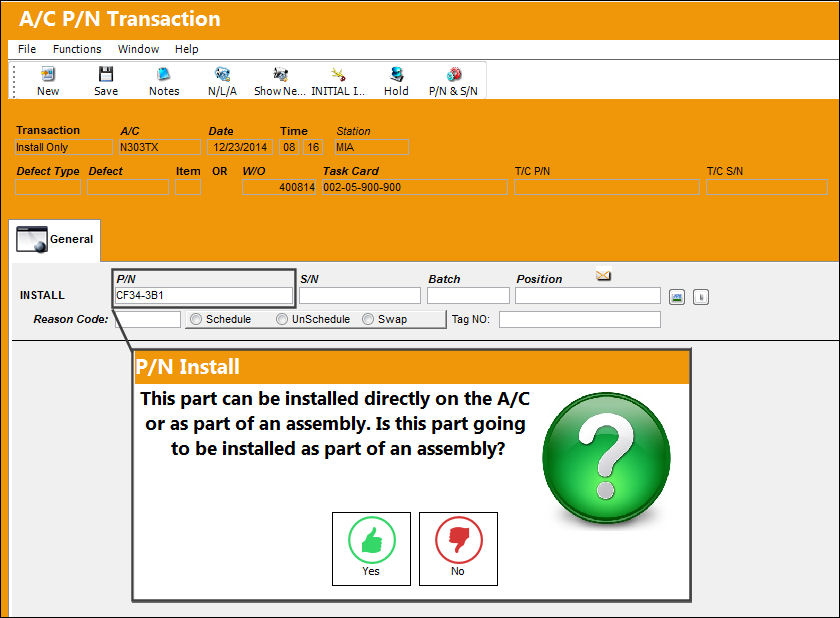
If the part is not being installed as part of an assembly, select No. When No is selected the window remains the same as above.
If the part is being installed as part of an assembly, select Yes. When Yes is selected several fields appear to specify the assembly that the NLA is being installed with.
This prompt is also available from the Remove/Install Transaction type of the A/C P/N Transaction window with slightly different functionality. For more information refer to the Remove/Install Transaction Type.
 Part's Ownership Information included in F/A Swap:
When a part is removed from a managed aircraft, the Owner and Loan Category of the part (if any) is stored in the 'Fixed_Asset_Pending' table. Once another Serial Number is installed, the Fixed Asset record along with the Ownership information is swapped from the removed Serial Number to the installed Serial Number. (This information in the Fixed Asset Pending table ensures that the Owner information is swapped when a S/N is removed through a 'Remove Only' transaction and replaced through an 'Install Only' transaction.)
Share
Print
|
©1997-2026 Trax USA Corp. All rights reserved. This manual may not be copied, photocopied, reproduced, translated, or converted to any electronic or machine-readable form, in whole or in part, without prior written approval from Trax USA Corp. |
 |