
 Share
Share
 Print
Print
|
|
|
|
|


ManHour Schedule, Shift Pattern Tab

The ManHour Schedule, Shift Pattern Tab shows a calendar view of an employee group's schedule for a calendar month. This calender provides a daily breakdown of the day's start time, work hours, and up to six different employee labor breaks.
Rather than having employees self-assign their shifts, employees can be assigned to groups that follow a shift schedule.
Notice that in this setting, the Self Assign checkbox will be unavailable.
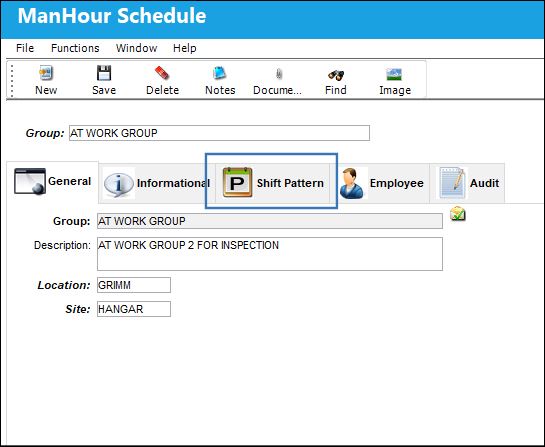
After choosing the employee group, selecting the Shift Pattern tab will allow the user to immediately view a shift pattern for the current calendar month.
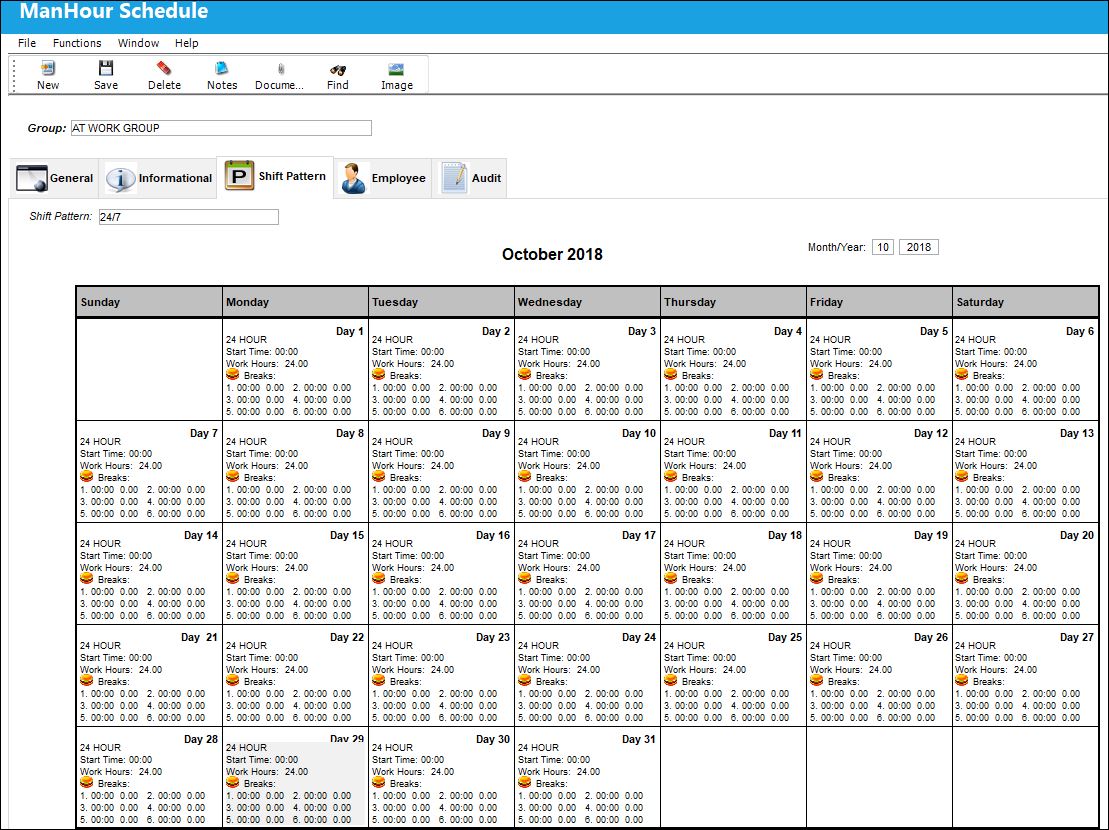
The following information/options are available in this window:
_____________________________________________________________________________________
Month/Year
Enter the Month and Year.
Start Time
Enter the start time for the shift.
Work Hours
Enter the length of the shift
Break/ Start Time
Enter the break times for the shifts (Maximum 6 breaks). Break Length (Hours) - Start Time (Hour/Min).
Note: During these times employees will not be available for labor reservation.
_____________________________________________________________________________________
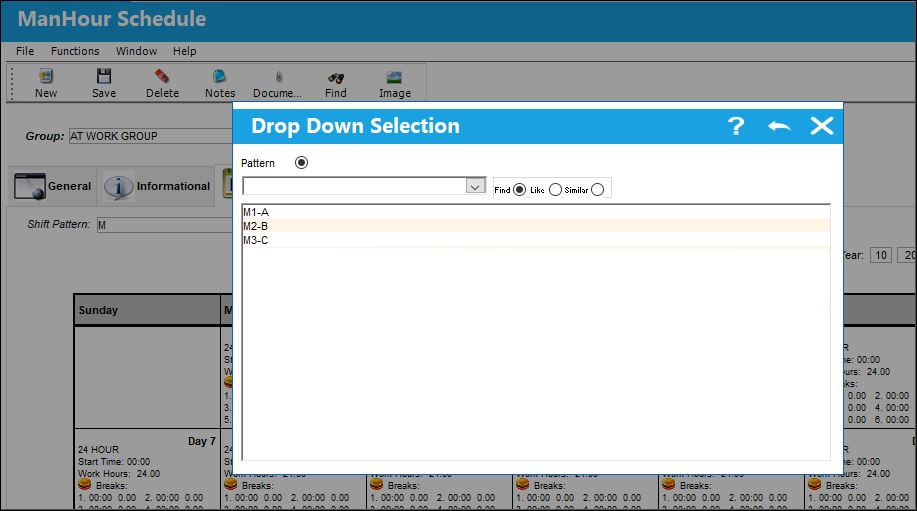
Selecting into the Shift Pattern field will produce a selection window where other shift patterns can be chosen.
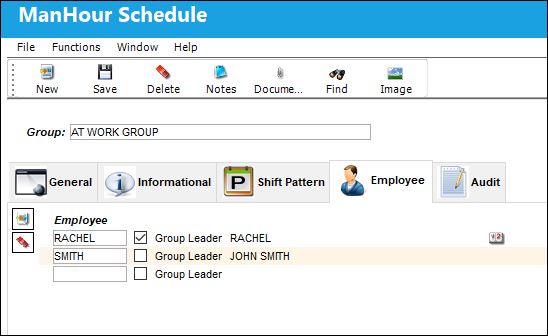
The user may add an employee to the group through the ManHour Schedule, Employee tab.
Share
Print
|
©1997-2026 Trax USA Corp. All rights reserved. This manual may not be copied, photocopied, reproduced, translated, or converted to any electronic or machine-readable form, in whole or in part, without prior written approval from Trax USA Corp. |
 |