
 Share
Share
 Print
Print
|
|
|
|
|


ManHour Schedule, Employee Tab
Add employees to the group one at a time as follows:
Go to the Employee Tab and select the New  button.
Right-click in the field and select an employee from the drop down selection Window. The employee is added to the Group.
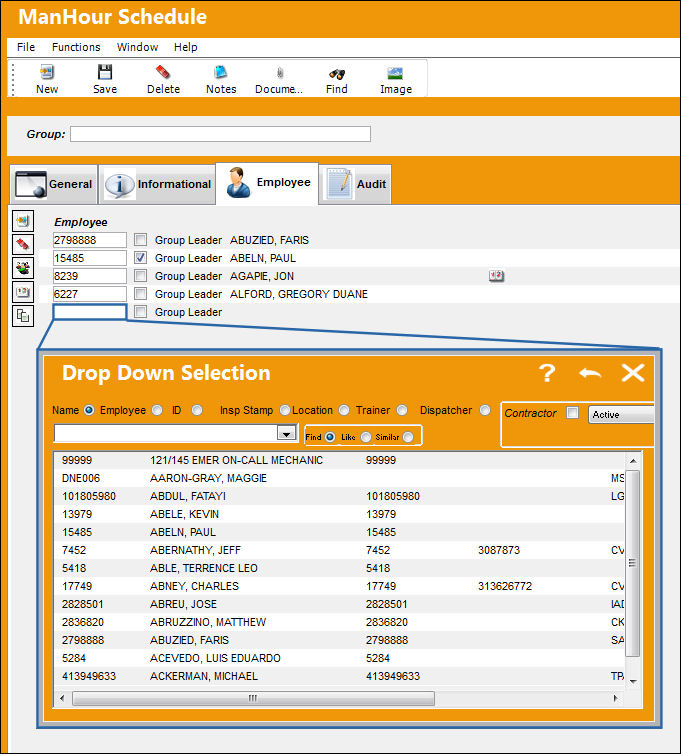
The following information/options are available in this window:
_____________________________________________________________________________________
Employee
Select an employee to add to a group from the drop down menu.
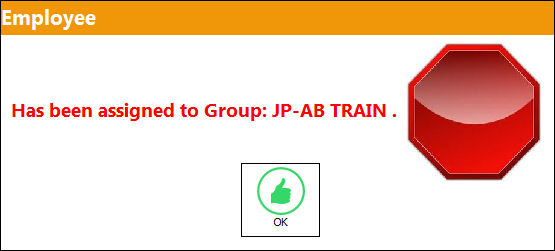
If an employee is already assigned to another group TRAX displays a warning dialog box and the employee is not saved in this group.
Group Leader checkbox
Select this checkbox to designate a group leader.
Schedule Pattern  icon
icon
This icon appears to the right of the employee when a schedule pattern is set up for that employee.
_____________________________________________________________________________________
The following buttons appear in this tab for additional functionality:
- Mass Enroll button
- Schedule button
- Copy Schedule button
Share
Print
|
©1997-2026 Trax USA Corp. All rights reserved. This manual may not be copied, photocopied, reproduced, translated, or converted to any electronic or machine-readable form, in whole or in part, without prior written approval from Trax USA Corp. |
 |