
 Share
Share
 Print
Print
|
|
|
|
|


First, to access to this tab, go to the Security Explorer in TRAX and select Settings/Update/Aircraft and make sure that you have access to the A/C Concessions Tab, as illustrated below:
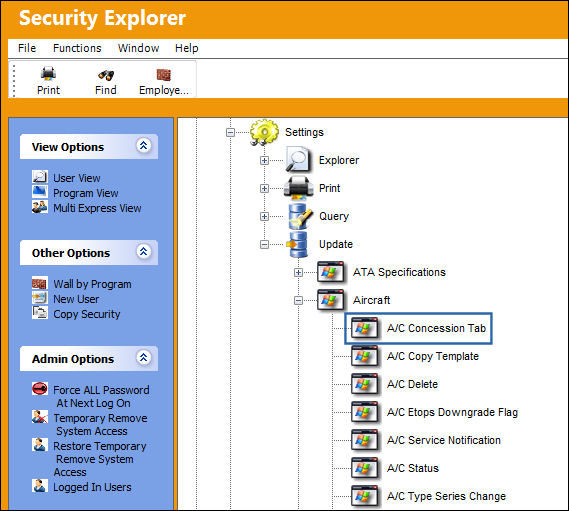
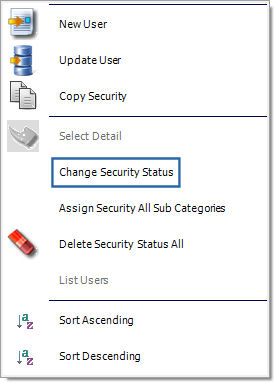
If the A/C Concession Tab icon has a red "X" through it, you do not have access. To gain access, select into the icon and select "Change Security Status" (as illustrated below) to clear the red "X" and thus enable access:
You may now utilize the Concessions Tab, available through Settings/Update/A/C Type Series and Settings/Update/Aircraft Master.
Share
Print
|
©1997-2026 Trax USA Corp. All rights reserved. This manual may not be copied, photocopied, reproduced, translated, or converted to any electronic or machine-readable form, in whole or in part, without prior written approval from Trax USA Corp. |
 |