
 Share
Share
 Print
Print
|
|
|
|
|


Library Authorization Group - Setup
Create a Library Authorization Group in System Transaction Codes. Right-click on any Library Authorization Group and click New Record (to create a new record) or Update (for an existing record).
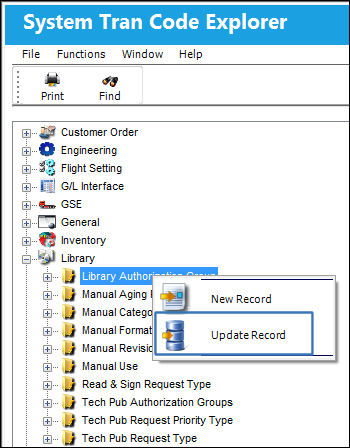
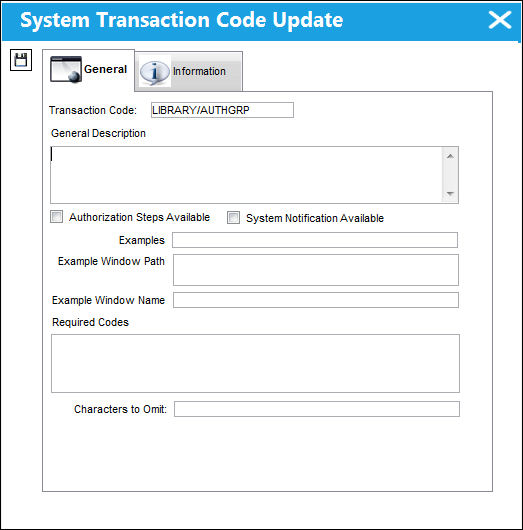
The following information/options are available in this window:
_____________________________________________________________________________________
Transaction Code
Auto-Populated field showing the system transaction code.
General Description
Enter a description of the Group or the full name of the group.
Authorization Steps Available
None
System Notification Available
None
Examples
Examples of Group.
Example Window Path
The example window path.
Example Window Name
An example window name.
Required Codes
Codes that should not be deleted.
Characters to Omit
Codes blocked from being entered.
_____________________________________________________________________________________
Share
Print
|
©1997-2026 Trax USA Corp. All rights reserved. This manual may not be copied, photocopied, reproduced, translated, or converted to any electronic or machine-readable form, in whole or in part, without prior written approval from Trax USA Corp. |
 |