
 Share
Share
 Print
Print
|
|
|
|
|


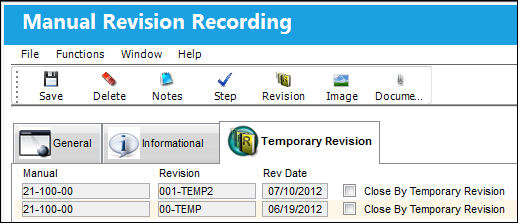
Manual Revision Recording Detail, Temporary Revision Tab
When the Revision Category field on the General Tab is set to Temporary, the Temporary Revision Tab will appear. When entering the first temporary revision for a Manual, the Temporary Revision Tab will not appear because no history of temporary revisions has been created. If a permanent revision is recorded against this Manual, and the Manual has had temporary revisions recorded against it, the Temporary Revision Tab will appear.
Click on the Temporary Revision Tab to view the Temporary Revisions that have been recorded for this Manual.
Share
Print
|
©1997-2026 Trax USA Corp. All rights reserved. This manual may not be copied, photocopied, reproduced, translated, or converted to any electronic or machine-readable form, in whole or in part, without prior written approval from Trax USA Corp. |
 |