
 Share
Share
 Print
Print
|
|
|
|
|


If using an authorization Step system, you can modify the Authorization Step sequence for the Manual by clicking on the Steps  button.
Default Steps are set up based on the Manual category.
To add/ remove specific Steps from the authorization process of this revision, click on the Steps button.
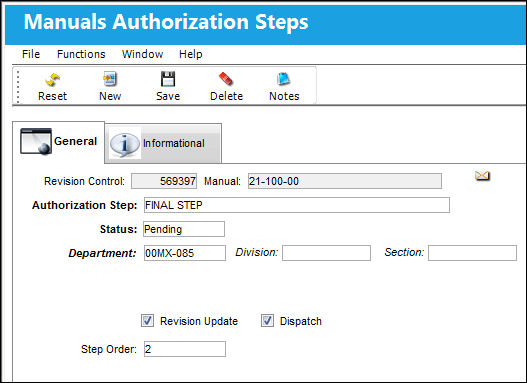
Notice that all the default Steps appear.
To remove a step, click on the step so that the Hand  pointer appears and click on the Delete
  button.
Any Manual authorization process can now be performed. Please see the Authorizing the Manual section for information regarding authorizing the Manual.
Once any authorization process is complete, the Manual Revision Receiving process is performed via the Manual Revision Receiving option. Please see the Manual Revision Receiving section for information regarding receiving the Manual.
The Manuals Authorization Steps, Informational Tab and the Notes  button allow for additional information to be viewed and included for the record.
Share
Print
|
©1997-2026 Trax USA Corp. All rights reserved. This manual may not be copied, photocopied, reproduced, translated, or converted to any electronic or machine-readable form, in whole or in part, without prior written approval from Trax USA Corp. |
 |