
 Share
Share
 Print
Print
|
|
|
|
|


A/C Type-Series View, via Engineering Explorer
To see all the A/C Type-Series, select Expandable  button next to A/C Type-Series. TRAX re-displays the details as follows:
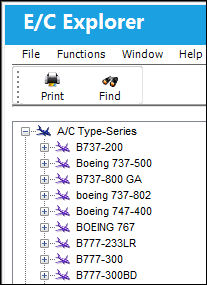
To see details regarding each A/C Type-Series to show which A/C Tail Numbers fall under each A/C Type-Series, select the Expandable button next to each A/C Type-Series. TRAX displays the details as follows:
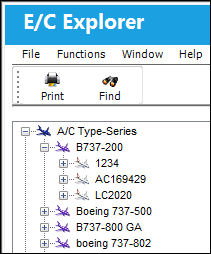
To see details regarding each A/C Tail Number, select the Expandable button next to each A/C Tail Number and TRAX re-displays the details as follows:
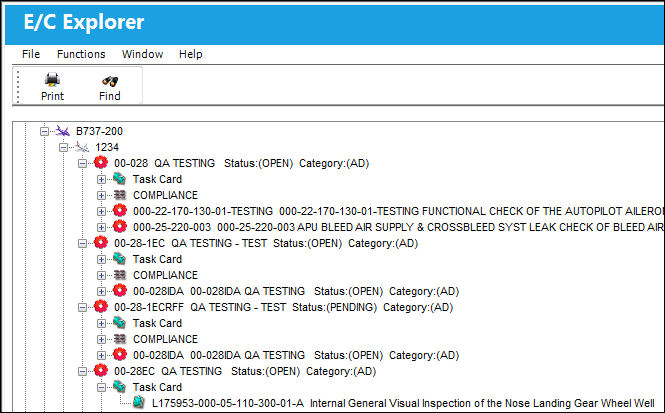
Select over the individual Explorer Object (i.e. Task Card, Aircraft Type/Series, etc.). TRAX displays the related modular screen for that object.
Share
Print
|
©1997-2026 Trax USA Corp. All rights reserved. This manual may not be copied, photocopied, reproduced, translated, or converted to any electronic or machine-readable form, in whole or in part, without prior written approval from Trax USA Corp. |
 |