
 Share
Share
 Print
Print
|
|
|
|
|


From the Inventory Detail Transaction History window, select the Detail view.
Enter one or more of the following search criteria and select the Find  button.
TRAX displays the following Detail view:
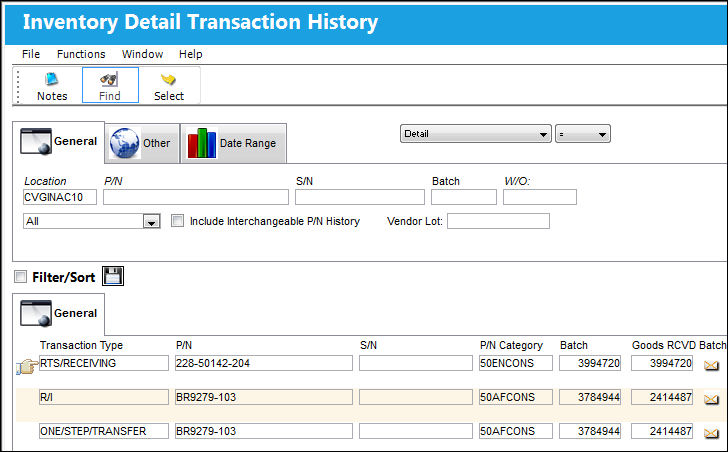
 Note: A Print option and associated
  Print button is available when enabled via System Administration/ Explorer/ Security Explorer. See instructions below.
To enable the print option for a User profile, complete the following steps:
Open System Administration/ Explorer/ Security Explorer and then expand [+] the User's access permissions.
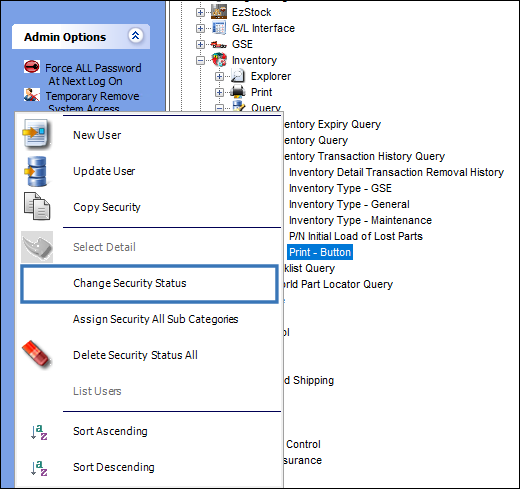
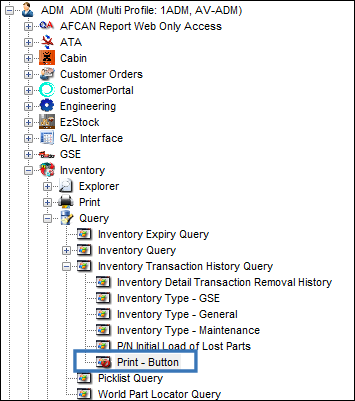
Expand the Inventory Module for the User. Then expand the Query sub-function and further expand 'Inventory Transaction History Query'. Right click on the Print-Button permission in the sub-menu and click on 'Change Security Status'. The Change Security Status button acts as a toggle switch; toggling on or off the existing permission. See below.
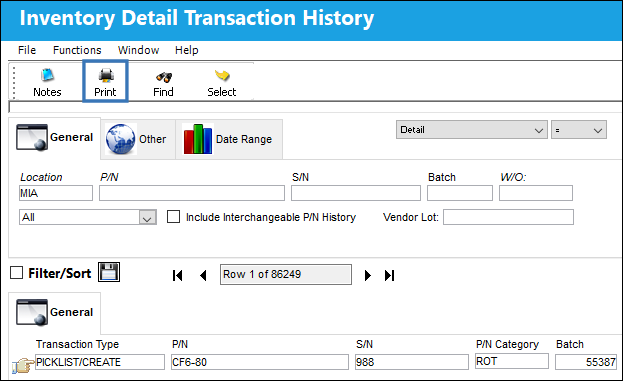
Once a User has security permission for printing enabled, the Print button populates when a transaction history is searched. See below.
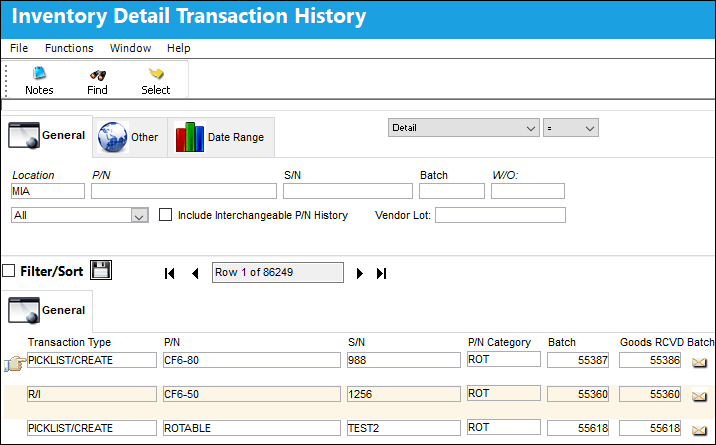
If a User profile does not have the Print function enabled in Security Explorer, the Print button will not populate when a transaction is searched and the User will not have access to this capability.
Notice that the same Inventory Detail Transaction History search was effected without print permissions in the image below. The Print button is not available nor apparent.
Likewise, the Print - Button function/availability under Inventory Detail Transaction History also displays that the User lacks print security permissions. See below.
Share
Print
|
©1997-2026 Trax USA Corp. All rights reserved. This manual may not be copied, photocopied, reproduced, translated, or converted to any electronic or machine-readable form, in whole or in part, without prior written approval from Trax USA Corp. |
 |