
 Share
Share
 Print
Print
|
|
|
|
|


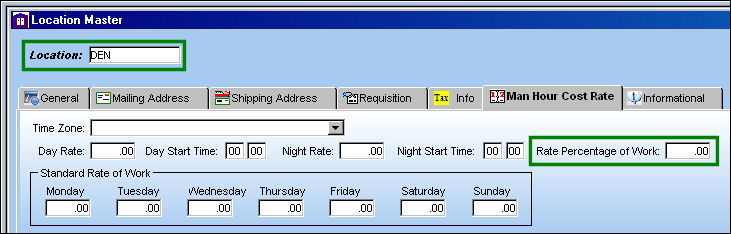
Select a Location in the Location Master and go to the Man Hours Cost Rate tab.
For this example, in the Rate Percentage of Work field, the value is set to .00, as shown below:
For additional information, refer to the Location Master, Man Hour Cost Rate Tab via the Settings Training Manual.
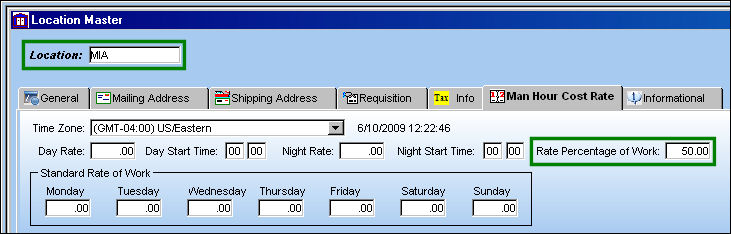
Follow the same procedures for a different location, only the Rate Percentage of Work should be 50.00, as shown below:
Create two separate Work Orders for each above location. Attach the same Task Card to each Work Order.
For additional information, refer to Create a Work Order, via the Work Order section of the Production Training Manual.
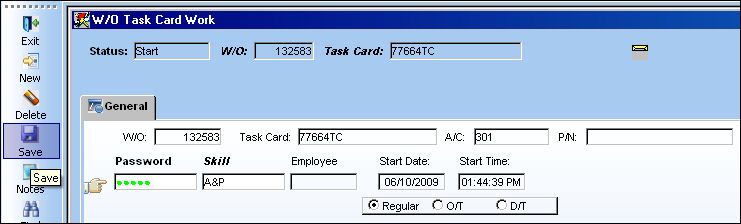
Go to Production/Update/W/O Task Card Work in Progress.
Select the Individual Task Card option.
Search for the Work Order/Task Card combination and log in and then out of each Work Order created so as to apply actuals to both Work Orders.
For additional information, refer the Individual Task Card via W/O Task Card Work in Progress of the Production Training Manual.
Note that in the Unit Cost for both Work Orders is the same:
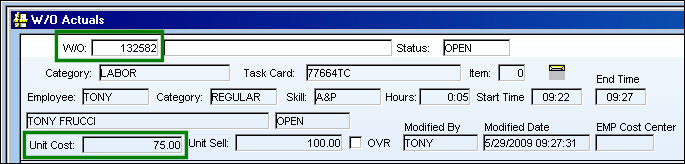
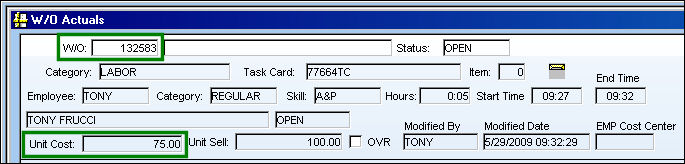
Note that the Actual Cost for both Work Orders is the same:


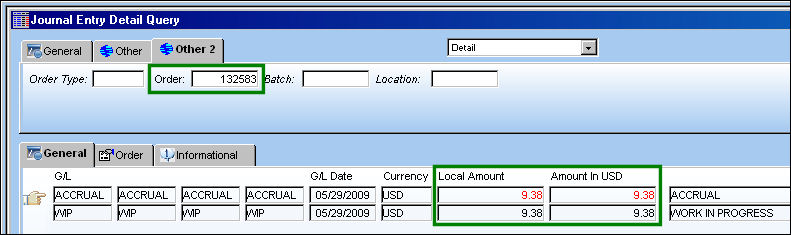
The difference is shown in the Journal Entries Query window:
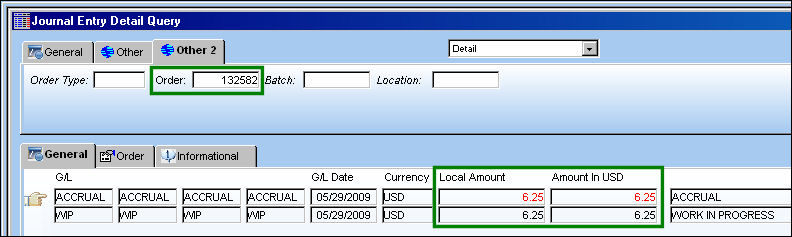
6.25 + (6.25 * 50/100) = 9.375. This is why the Work Order in the second location shows $9.38 for the same amount of work.
Share
Print
|
©1997-2026 Trax USA Corp. All rights reserved. This manual may not be copied, photocopied, reproduced, translated, or converted to any electronic or machine-readable form, in whole or in part, without prior written approval from Trax USA Corp. |
 |