
 Share
Share
 Print
Print
|
|
|
|
|


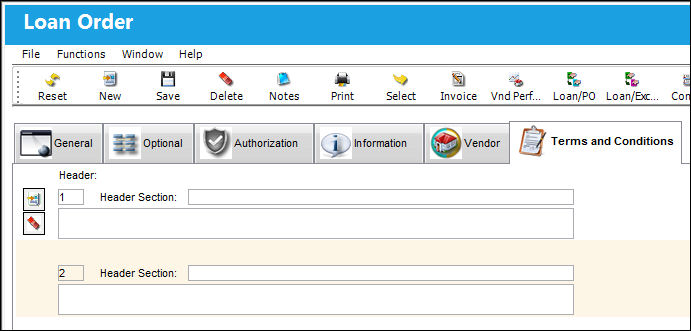
Loan Order Header, Terms and Conditions Tab
The Terms and Conditions tab can be found via Orders/ Update/ Loan Order. Users are allowed to enter Terms and Conditions for Loan Orders that are printed along with the specific order. This tab is security enabled.
 Note: The character limit for the free text field in the Terms and Conditions tab for Orders has been removed. This is part of customer-specific functionality and is not available for all customers.
The Terms and Condition of an Order will not appear on the print unless the Order Print is customized to include this information.
Aside from this tab, users can also apply Terms and Conditions to all order types via the Settings/Update/Terms and Conditions window. From this window all order types can be assigned specific Terms and Conditions. These Terms and Conditions will be defaulted for each specific order type. The tab described above will only edit the Terms and Conditions for that particular order. For more information refer to the Terms and Conditions section via the Settings Training Manual.
Share
Print
|
©1997-2026 Trax USA Corp. All rights reserved. This manual may not be copied, photocopied, reproduced, translated, or converted to any electronic or machine-readable form, in whole or in part, without prior written approval from Trax USA Corp. |
 |