
 Share
Share
 Print
Print
|
|
|
|
|


Order Receiving by Key Scan Button, via Order Receiving by Barcode
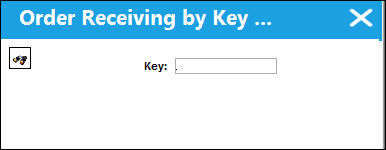
The Order Receiving by Key Scan  button allows users to scan in shipped goods into inventory that were sent from a vendor.
To do so, select the button from the Order Receiving by Barcode window. With a handheld scanner, scan the barcode provided with the shipped good (this can also be entered manually). Users can select the 'Tab' button from their keyboards or select the Save  button to save.
The Wall Password option can be applied to this window through Receiving/Update/Control Panel, Receiving/Order Receiving by Barcode.
Once entered a Service Order will be created for a POU (Point of Use) or a Purchase Order for an INV entry. The order number is then displayed in a pop-up window and the entry goes from 'OPEN' Status to 'CLOSED.'
 This functionality is part of a customized interface and is therefore not applicable for most TRAX operators. For more information on the interface program, consult with your TRAX Interface department.
Share
Print
|
©1997-2026 Trax USA Corp. All rights reserved. This manual may not be copied, photocopied, reproduced, translated, or converted to any electronic or machine-readable form, in whole or in part, without prior written approval from Trax USA Corp. |
 |