
 Share
Share
 Print
Print
|
|
|
|
|


When a Part Number Control has a Reset Date that predates the P/N being entered into TRAX Inventory, the P/N Control Actuals will not be affected until the P/N Serial Number is installed into an Aircraft (unless the P/N is Calendar or Date Controlled). P/N Actuals will not be accumulated if the P/N is not installed on an A/C.
For example, create a P/N Control with a retroactive Reset Date (see below).
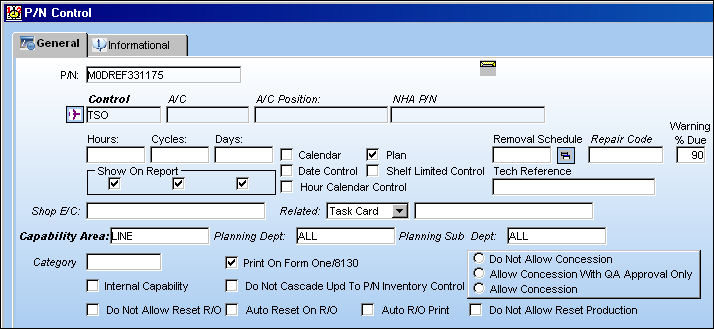
For more information regarding P/N Controls and how to create them refer to the P/N Control Button of the P/N Master window via the Settings Training Manual.
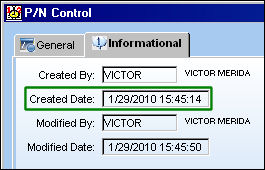
A P/N Control is retroactive when its Reset Date precedes its Created Date.
Notice the P/N Control Created Date.
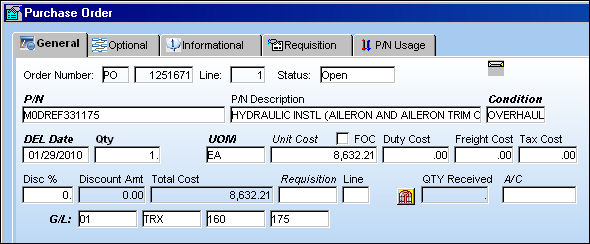
Create a Purchase Order and receive the P/N into Inventory.
Through the P/O Receiving, enter a retroactive Reset Date (10/1/2009) for the P/N Control. Notice it predates the Created Date (1/29/2010).
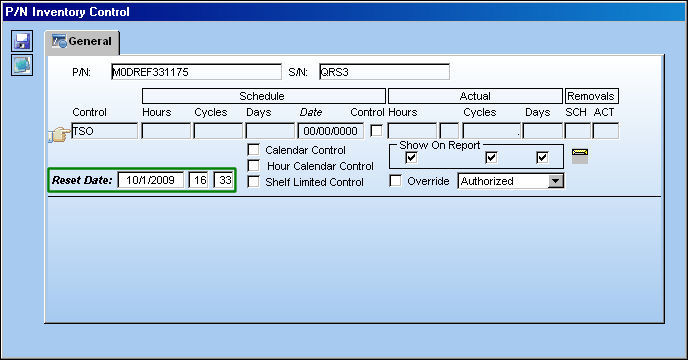
For more information regarding the P/N Inventory Control window refer to Receiving a Time Controlled Part via the Receiving Training Manual.
The Reset Date will default to the current date automatically within the P/N Inventory Control window. The retroactive Reset Date must be edited manually.
From the P/N Inventory Control window via Inventory Detail, P/N Control  button, notice that there are no Actuals against P/N Control. This is because the P/N was just received into inventory and has not yet been installed onto an aircraft.
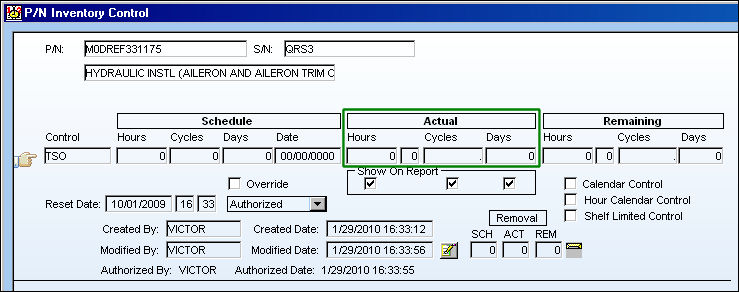
For more information on the P/N Inventory Control window refer to the Control Button via the Inventory Training Manual.
P/N Control Actuals will begin to accumulate once the part is installed on an aircraft for P/N Controls which are not Calendar or Date controlled. Refer to the following for a detailed example on how P/N Control Actuals are affected through multiple A/C Installations and Removals.
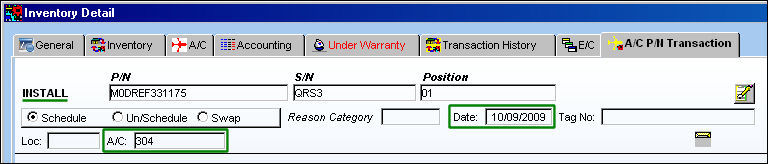
Via the Inventory Detail, A/C P/N Transaction tab, notice that the P/N S/N was installed (10/09/2009) on an A/C (304) after the P/N Control Reset Date (10/1/2009).
Several flights were created for the same Aircraft (304) after the Installation of the P/N as viewed from the Technical Records/Print/A/C Logs Print window.
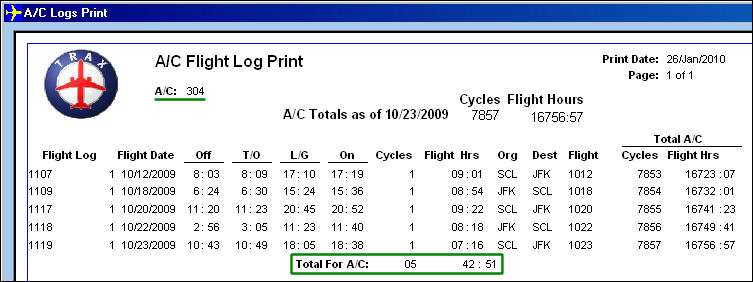
The Technical Records/Update/A/C Actual Flights Closing must be performed for the A/C Total Times to be reflected against the P/N Control Actuals.
From the P/N Inventory Control window, notice that the P/N Control Actuals are the same as the amount of A/C Total Hours accumulated through the scheduled flights above.
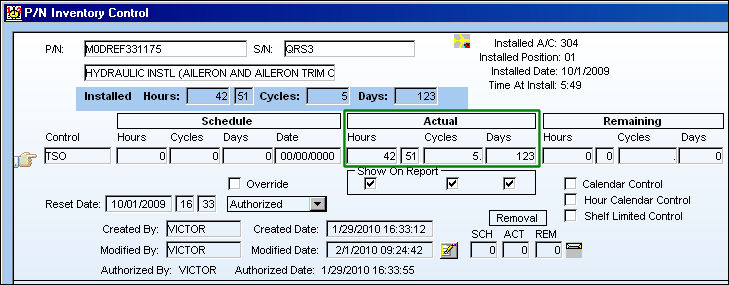
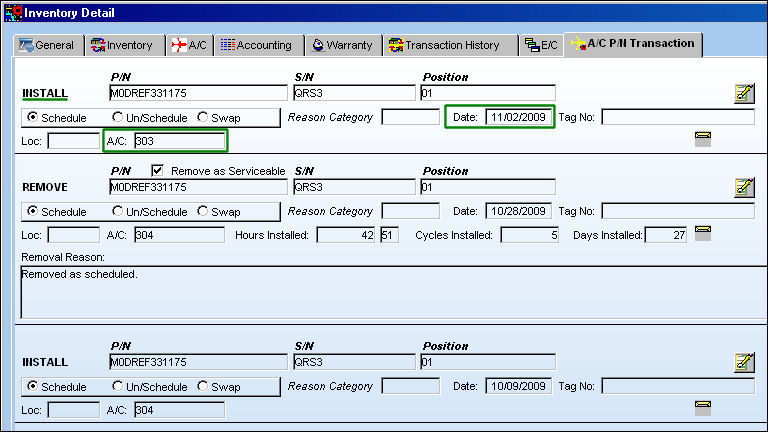
Remove the P/N from the Aircraft.
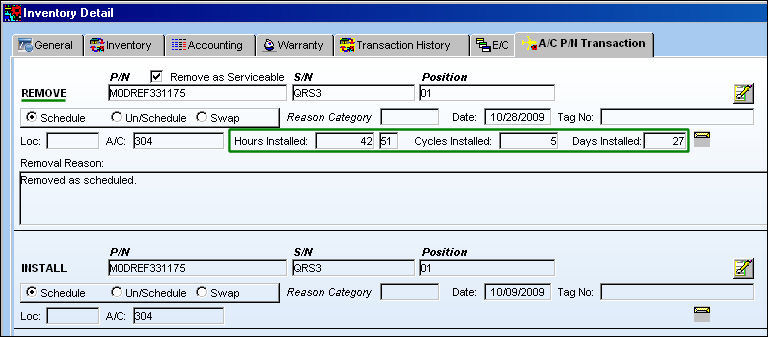
Install the same P/N Serial Number onto a different Aircraft (303).
Several more flights were created for this different Aircraft (303) after the installation of the P/N as viewed from the Technical Records/Print/A/C Logs Print window.
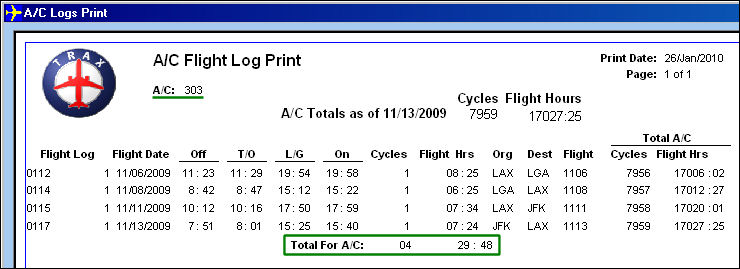
After the flights are closed through the A/C Actual Flights Closing, the A/C accumulated times for both installations of the part are added together and reflected in the P/N Control Actuals (see below diagram for calculation).
|
Hours |
Cycles |
Total Time for A/C: 304 |
42:51 |
5 |
Total Time for A/C: 303 |
29:48 |
4 |
P/N Control Actuals |
72:39 |
9 |
From the P/N Inventory Control window, notice the P/N Control Actuals reflect the A/C Total Times for both A/C installations combined.
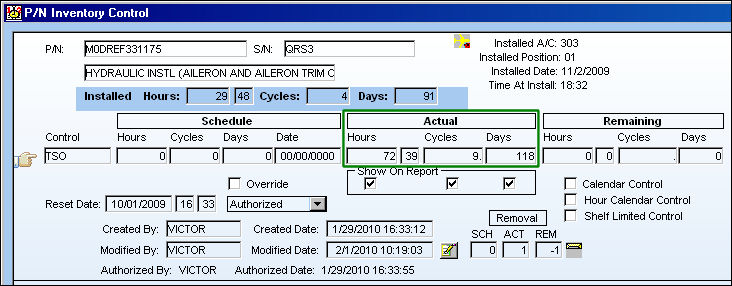
The Installed hours above reflect the current installation. When the part is removed from the A/C the Installed fields will be blank. Actuals, however, will accumulate until the Control is reset against a Repair Order or at Receiving.
Share
Print
|
©1997-2026 Trax USA Corp. All rights reserved. This manual may not be copied, photocopied, reproduced, translated, or converted to any electronic or machine-readable form, in whole or in part, without prior written approval from Trax USA Corp. |
 |