
 Share
Share
 Print
Print
|
|
|
|
|


Applicable zones can be imported to a Task Card using the MPT Loader function.
Set Up:
The following Task Card is effective to the below A/C Type/Series:
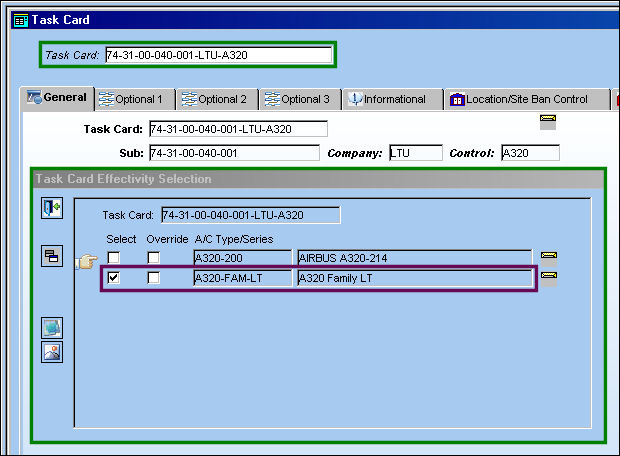
There are no zones associated to this Task Card:
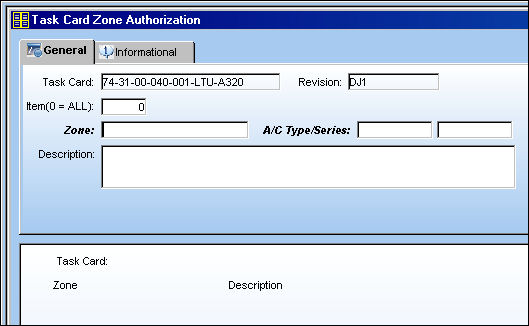
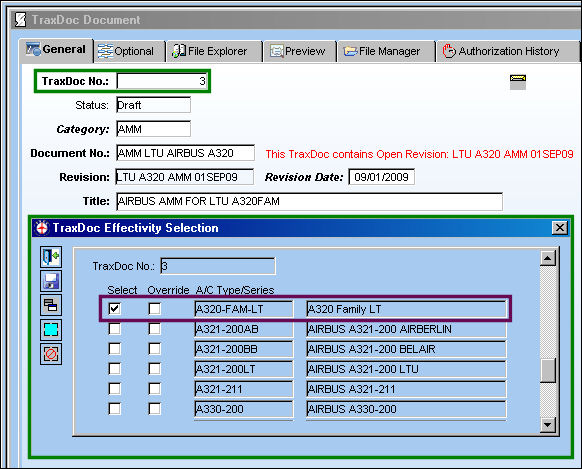
Go to TraxDoc/ Update/ TraxDoc Master
TraxDoc 3 is effective to A/C A320-FAM-LT:
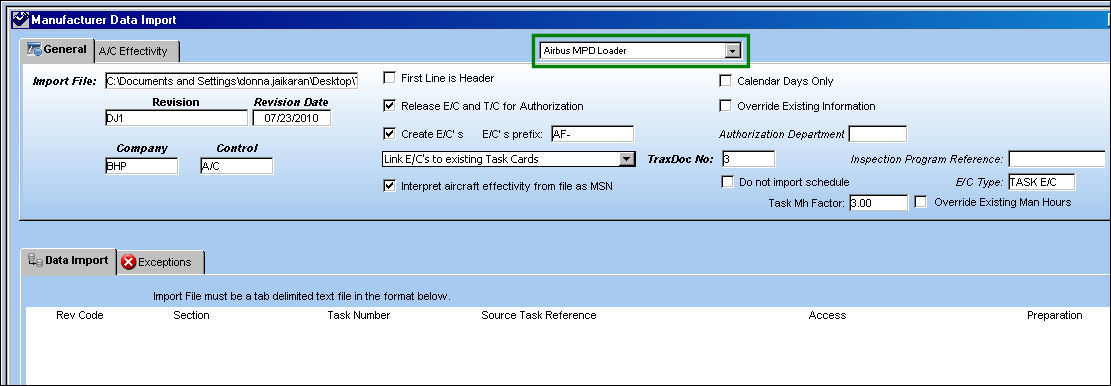
Import MPD:
Go to Engineering/ Update/ Manufacturer Data Import.
From the drop down menu, select Airbus MPD Loader. Populate all mandatory and desired information and begin the MPD import.
For information regarding the Airbus MPD Loader, refer to Airbus MPD Loader via Manufacturer Data Import of the Engineering - E/C Training Manual.
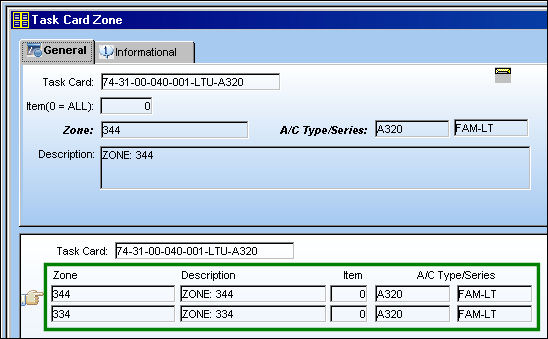
Once the import is complete, the Task Card now has applicable zones:
Share
Print
|
©1997-2026 Trax USA Corp. All rights reserved. This manual may not be copied, photocopied, reproduced, translated, or converted to any electronic or machine-readable form, in whole or in part, without prior written approval from Trax USA Corp. |
 |