
 Share
Share
 Print
Print
|
|
|
|
|


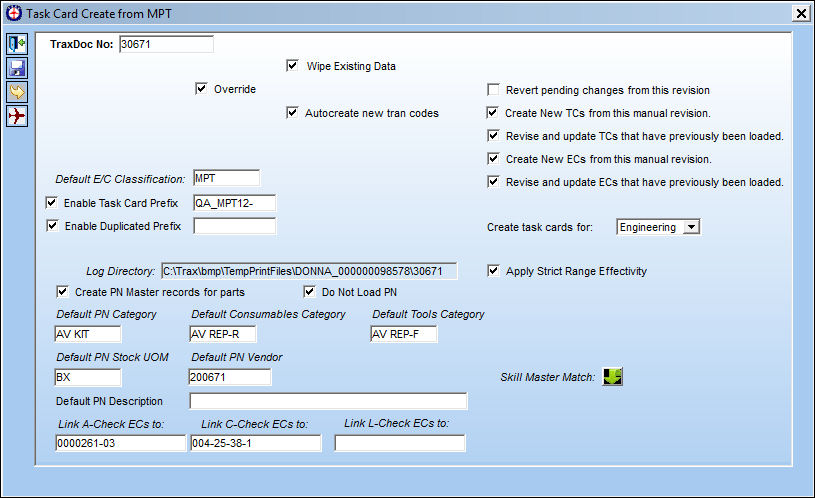
The Skill Master Match  button allows the user to translate the Skills within the TraxDoc Manual to the Skills in the TRAX database.
From the Task Card Create from MPT window, select the Skill Master Match button.
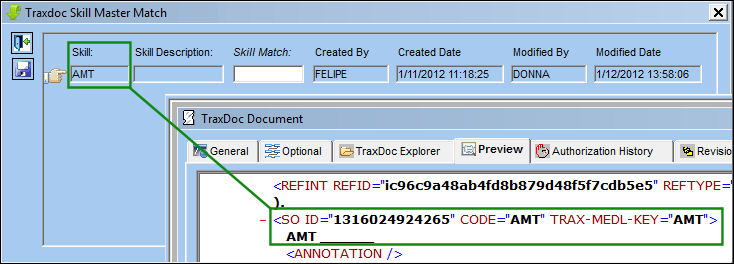
The TraxDoc Skill Master Match window appears.
The application will look for "SO ID" tags within the XML that will be brought into the window as the Skill.
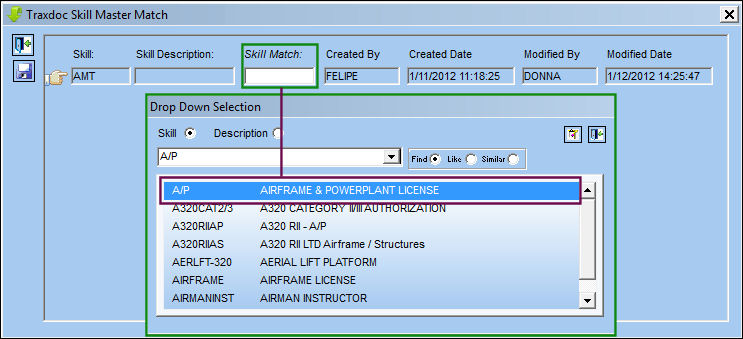
Right-click in the Skill Match field. The following drop down selection window appears. Select a skill.
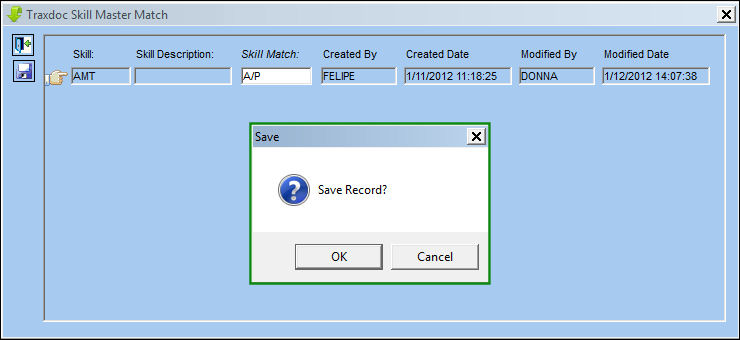
Save the Skill.
Complete the Import from OEM process.
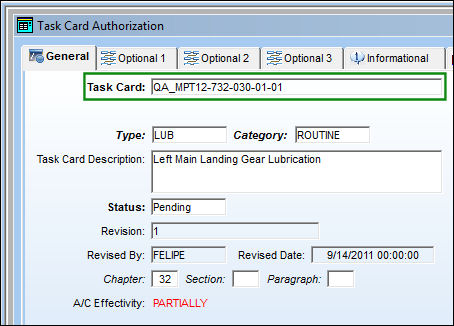
Once the import is complete, the following Task Card is created:
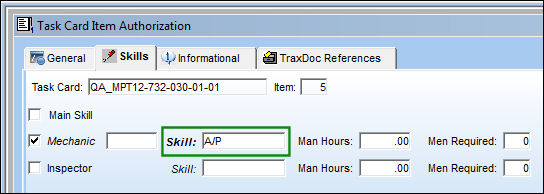
The Skill has been imported:
Share
Print
|
©1997-2026 Trax USA Corp. All rights reserved. This manual may not be copied, photocopied, reproduced, translated, or converted to any electronic or machine-readable form, in whole or in part, without prior written approval from Trax USA Corp. |
 |