
 Share
Share
 Print
Print
|
|
|
|
|


Training Forecast Interactive Planner
The Interactive Planner feature via the Training Forecast window allows administrators to register employees for training courses and view the forecast of course schedules. The information listed in this Interactive Planner is displayed much like in the Planning Query, with employee/course requirements, schedules, and due dates. Employees can also be registered for and enrolled in courses all from this same Planner window.
From the Training Forecast window, select the Interactive Planner option from the drop down menu at the top. Enter any relevant search criteria then select find.
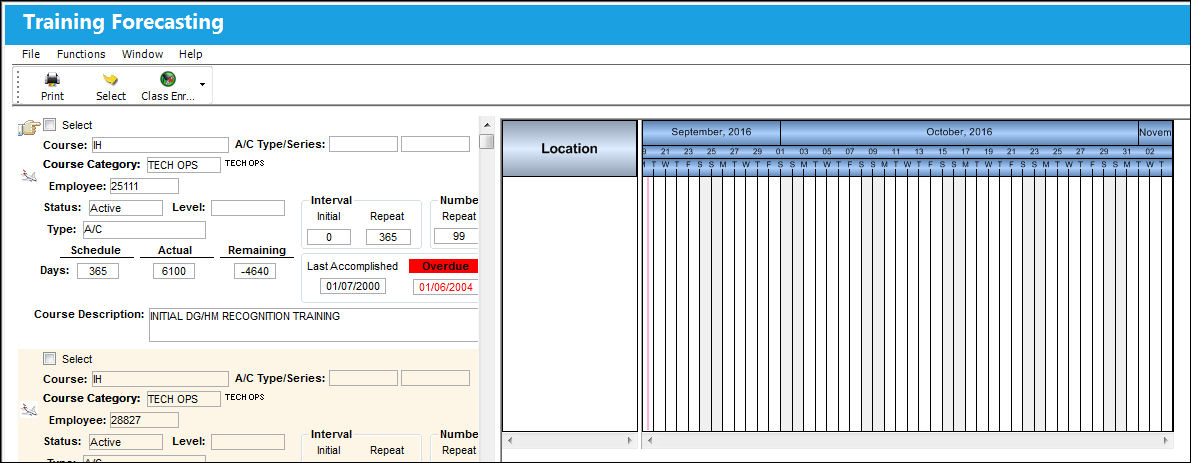
The Training Forecasting window appears as follows. The Interactive Planner displays employee course information on the left side and an interactive course schedule on the right.
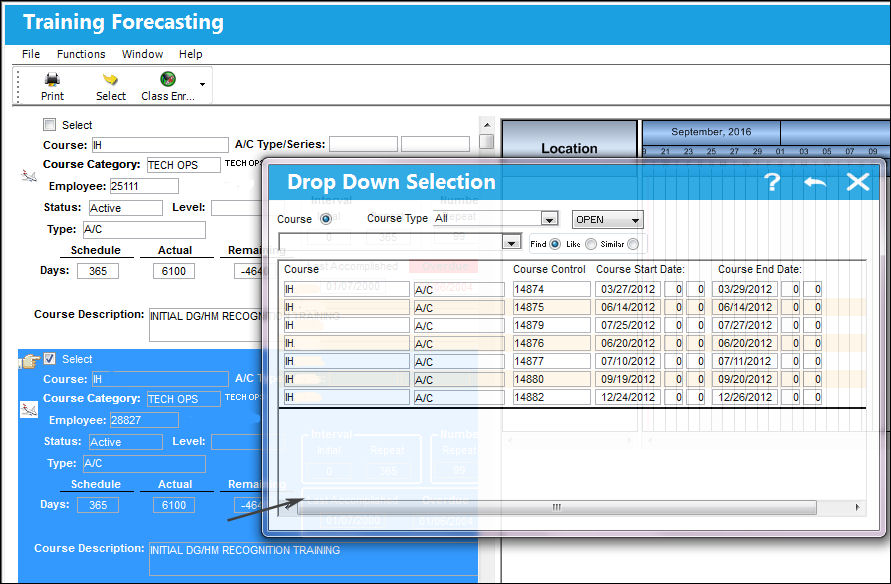
Select an employee to register to a class schedule. The Drop down Selection window appears. Select the course that the employee will be scheduled for.
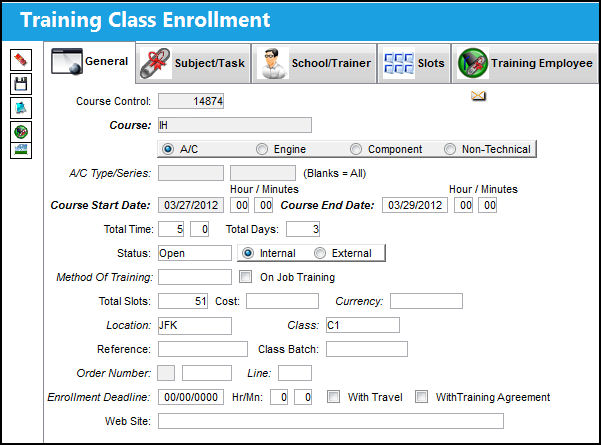
The Training Class Enrollment window appears when the course is selected. The fields are automatically populated with scheduled course information. Save the record and the employee to register the employee for the course.
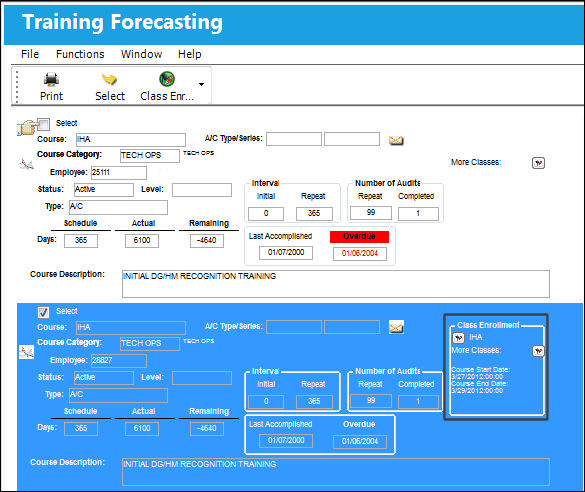
Later, once the employee enrolls in the course, the course enrollment information is displayed in the forecast for that employee.
Users can also register employees for a Training course by selecting the course in the interactive schedule view to the right. The Select Employee prompt comes up when the class is double-clicked. Then select the Employee that is to be registered to the class. The employee information successfully populates the class schedule and the information is saved.
Share
Print
|
©1997-2026 Trax USA Corp. All rights reserved. This manual may not be copied, photocopied, reproduced, translated, or converted to any electronic or machine-readable form, in whole or in part, without prior written approval from Trax USA Corp. |
 |