
 Share
Share
 Print
Print
|
|
|
|
|


The Effectivity  button appears throughout the system and works exactly the same way. This button allows the user to apply effectivity to parts, aircraft, Task Cards and E/Cs. In this case, the Effectivity button allows the user to apply aircraft effectivity to a P/N Software Configuration.
From the P/N Software Configuration Authorization window, select the Effectivity button.
Be sure the Selection  arrow is pointing to the desired configuration.
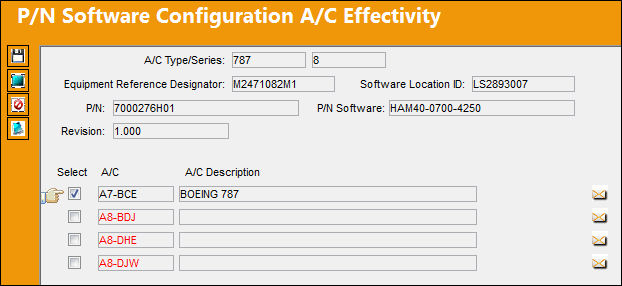
TRAX displays the P/N Software Configuration A/C Effectivity window.
From this window, the user can apply effectivity to a single aircraft or multiple aircraft.
Share
Print
|
©1997-2026 Trax USA Corp. All rights reserved. This manual may not be copied, photocopied, reproduced, translated, or converted to any electronic or machine-readable form, in whole or in part, without prior written approval from Trax USA Corp. |
 |